iMazing 3.5.5 for Mac
iMazing 3.5.5 for Mac
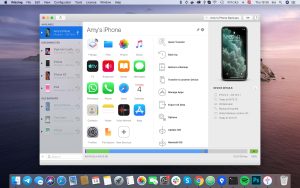
Transfer music, messages, files, and data to other devices. Back up your iPhone, iPad, and iPod touch. Reliability, power, and convenience. iMazing is the best iOS device management app for Mac.
It’s more than iTunes. It’s iMazing.
Transfer apps and data from your old iPhone or iPad to your new one all or just a few. Data migration with reliable protection and flexible settings. No iTunes or iCloud required.
iMazing’s sophisticated backup technology allows you to rest assured of your iOS data’s privacy. iMazing is the best solution for automatic, wireless backups of your iPhone and iPad to your Mac and PC.
Quickly copy music and media files between your computer and iOS device without iTunes.
Customize your iPhone’s ringtones and notification sounds to your liking! With iMazing, it’s easy, fun, and completely free.
Quickly and easily import books (ePub and PDF) into the Books app and export them to your computer. Sync your library with your Mac or Windows computer.
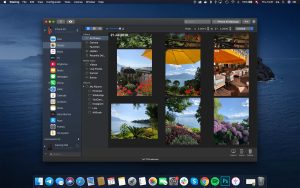
Easily export photos and videos without iCloud or iTunes. Access them from your computer via USB or Wi-Fi. Reliable backup.
Flexible iOS app management. Download apps (.ipa) to your computer and transfer them to iOS devices. Export and restore documents, settings, and game scores.
With iMazing’s new Quick Transfer feature, transferring music, photos, movies, text documents, and files from your Mac or PC to your iPhone or iPad has never been easier or more convenient.
Transfer Safari bookmarks from iPhone or iPad to PC or Mac without iCloud. Back up reading lists. Extract browser history from backups.
Copy text messages and attachments from your iPhone to your computer or a new phone. Save and print important messages.
Transfer WhatsApp messages and attachments to a new iPhone. Print important messages and save them to your Mac or PC.
Conveniently export call logs in CSV format. Save answering machine messages as audio files for playback on a Mac or PC.
Copy contacts from iPhone to Mac or PC bypassing iTunes and cloud storage. Quickly transfer multiple contacts to iPhone. Merge multiple address books.
Easily transfer calendars from iPhone to Mac or PC. Export all calendars or selected events to your computer in ICS or CSV format. Recover lost calendar data from any backup.
Transfer recordings from your iPhone and iPad to your computer and view or listen to them at any time. With iMazing, working with data from iOS Notes and Voice Memos is simple and easy.
Use your iPhone, iPad, or iPod as a flash drive. Import documents into mobile apps and back to your computer, bypassing iCloud and iTunes. Connect via Wi-Fi or USB. Available for Mac and Windows.
Work with the file system and data from iPhone and iPad backups on a Mac or PC. Modify and restore any files, even from encrypted backups.
Designed for system administrators, developers, and advanced users. Advanced connectivity, backup, and mobile device diagnostics.
iMazing 3.5.5 for Mac: What’s New
iMazing, the popular third-party tool for managing iPhones and iPads from a computer, has rolled out version 3.5.5 for macOS. Developed by DigiDNA, iMazing has long been a go-to alternative to iTunes/Finder for users who want deeper control over backups, file transfers, and app management on their Apple devices.
What’s Fixed in This Release
The 3.5.5 update is a focused maintenance release rather than a major feature drop. <cite index=”2-1″>The main fix addresses a new authentication issue in the Manage Apps section, caused by another change on Apple’s side.</cite> This kind of fix is common for iMazing, since Apple frequently updates its backend services and app-signing infrastructure, which can temporarily break third-party tools that rely on them.
<cite index=”2-1″>The release also brings early support for the iOS 27 beta, though there’s a known issue where photos may take a long time to load on that beta software.</cite>
Recent Version History for Context
iMazing 3.5.5 follows closely on the heels of 3.5.4, which <cite index=”2-1″>fixed an “invalid response content type” error from Apple’s servers that was blocking authentication, and improved handling of Apple’s server rate limiting (HTTP 429 errors).</cite>
Earlier in the 3.5.x line, iMazing 3.5.2 <cite index=”6-1″>added full support for the iPhone 17e and iPad Air M4, along with Recovery and DFU mode support for the M5-generation MacBook Air, MacBook Pro, and MacBook Neo.</cite> That version also <cite index=”6-1″>introduced options in Preferences for hiding full-resolution photos and videos in detail view and controlling thumbnail processing, useful for workflows that require discretion around visual content.</cite>
Further back, iMazing 3.5 itself <cite index=”3-1″>introduced a collapsible sidebar, enhanced Messages and WhatsApp features, a powerful File System search tool, and expanded options for advanced users and developers, alongside optimized performance on Windows.</cite>
Why It Matters
For everyday users, iMazing remains valuable because it lets you back up an iPhone or iPad without iCloud or iTunes, browse and export photos, messages, contacts, and notes, and manage apps directly from a Mac. Point fixes like the one in 3.5.5 matter because Apple’s server-side changes can silently break app-management or authentication features overnight — keeping iMazing updated ensures those workflows keep working smoothly.
System requirements:
iMazing runs on macOS El Capitan or later and requires a 64-bit processor with a connected iPhone, iPad, or iPod. A 15-day free trial is available, with paid licenses starting at $29.99 per year for one device.

Escape Simulator 2.20448 for Mac

EdgeView 5.7.9 for Mac

Screegle – Clean Screen Sharing 2.2.12 for Mac
About Author
