DockDoor Pro 0.0.138 for Mac
DockDoor Pro 0.0.138 for Mac
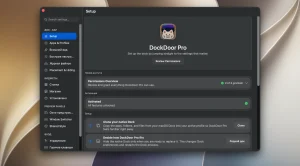
DockDoor Pro is a complete, native replacement for the standard Dock. The app completely reimagines the app drawer experience, adding live window previews, widgets, customizable profiles, and a unique “Liquid Glass” design.
Features: • Live window previews When you hover over the icon of any running application, live thumbnails of all its open windows appear. You can immediately close, minimize, maximize to half-screen/quarter-screen, or quit the application without opening it.
• Magnification with wave effect Icons gradually enlarge on hover, creating a “wave” effect that extends to adjacent icons. The animation works with your display’s refresh rate (ProMotion) and is fully customizable.
• Folders and app bundles Pinned folders open into a convenient panel (list or grid) right in the Dock. You can also group multiple apps into a single icon to save space.
• Extended context menu When you right-click on an application icon, you can access actions that are not available in the standard Dock: minimize/show all windows, close all, restart, force quit, or execute a saved command.
• File Shelf Scroll up the Dock, and it expands into a staging shelf. You can drag and drop files here, pin frequently used folders, and use the built-in AirDrop area.
• Prevent overlapping windows Enable overlap avoidance and DockDoor Pro will automatically move application windows around so they don’t overlap the panel, even in full-screen mode.
DockDoor Pro 0.0.138: Rebuilding the Mac Dock From Scratch
DockDoor Pro is a complete, native dock replacement for macOS, built entirely with SwiftUI and AppKit. It’s the paid, more ambitious sibling of the popular free and open-source app DockDoor, and it aims to deliver a fluid “Liquid Glass” experience that goes well beyond what Apple’s default Dock offers.
From Enhancement to Full Replacement
The free version of DockDoor simply adds window-preview features on top of the existing macOS Dock. DockDoor Pro takes it further by replacing the Dock entirely, complete with its own icon previews, profiles, pinned content, widgets, and deep customization options. There’s even an experimental “Hide Native Dock” setting for users who want DockDoor Pro to be their sole dock experience.
Live Previews and Window Control
Hovering over any running app brings up live thumbnails of its open windows, and users can act on them directly, closing, minimizing, tiling to halves or quarters, going full screen, or quitting, without needing to bring the app to the front first.
Widgets and Customization
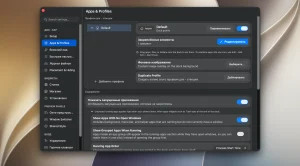
Version 0.0.138’s changelog highlights new widget management tools: users can pick a widget size from proportional cards, with a “Hidden at this size” badge warning when a widget won’t fit, plus the ability to reorder widgets and add them through a searchable picker. New docks now start with Now Playing and Weather widgets by default, and importing an existing macOS Dock preserves any widgets already added rather than wiping them out.
Stability and Interface Polish
This update also addresses several crash scenarios, including issues when dragging a Cmd+Tab window preview for apps with no open windows, and crashes tied to displays connecting, disconnecting, or the Mac waking during Cmd+Tab or Dock use. Tooltip flickering and positioning glitches have also been smoothed out.
Pricing and Requirements
DockDoor Pro is sold as a one-time purchase covering up to three Macs, with no subscription and a 7-day money-back guarantee. It requires macOS 14 or later and supports both Apple Silicon and Intel Macs, with lifetime updates included in the purchase.



About Author
