Tagr 5.14.1 for Mac
Tagr 5.14.1 for Mac
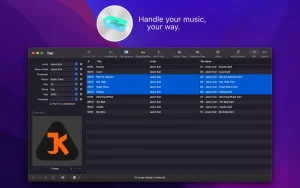
Tagr is an app that helps you organize your music collection.
With Tagr, you can easily edit information like the artist, title, or album art. Tagr also lets you manage the names, numbers, and capitalization of your files. No more letting other tools dictate these for you!
Possibilities:
Edit metadata of individual MP3, M4A/M4B, WAV, FLAC and AIFF files or
Editing a list of files in bulk
Supported tags: track number/number, title, artist, album artist, composer, album, disc number/number, genre, year, comment, compilation, lyrics
MP3 ID3 versions: v1, v2.3 and v2.4
Inserting covers into songs
Application of capitalization schemes in upper, lower and title case
Automatic generation of track numbers
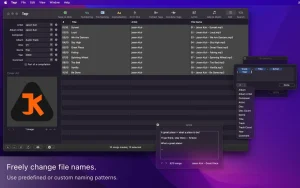
Choose one of the predefined file naming schemes or create your own
Extract tags from a file name or title using predefined or custom templates
Combine tags to create new tags using predefined or custom templates.
Search for album information on discogs.com and copy it into your songs
Listening to songs through QuickLook
Export/import tags to/from tab-delimited value (TSV) files for easy editing in spreadsheet applications
Customize Tagr to suit your needs
Tagr 5.14.1 for Mac
Tagr is a music metadata editor for Mac, available on the Mac App Store for $8.99. It’s made by Harald Schubert and is aimed at people who manage local music libraries and want proper control over their tags without relying on iTunes or Apple Music to do it for them. Supported formats include MP3 (ID3 v1, v2.3, and v2.4), M4A/M4B, WAV, FLAC, and AIFF. You can edit tags one file at a time or in bulk across an entire library. Macupdate
What It Does
Tagr lets you edit all the usual tags title, artist, album, album artist, composer, genre, year, track number, disc number, BPM, lyrics, and more. It also handles cover art embedding, file renaming, capitalization rules, and auto-numbering. You can pull album data from Discogs, which is handy for getting accurate metadata on older or obscure releases. It’s a clean, focused tool no subscription, no cloud sync, just straightforward local file editing. Macupdate
What’s New in 5.14.1
This update brings one important change related to Apple’s sandbox restrictions. Because of Apple security restrictions, renaming individually added files is no longer possible outside the home folder set in Tagr preferences. If you need to rename files across different locations on your drive, you’ll need to configure that home folder in the app’s preferences first. The update also includes stability improvements and general bug fixes. Rogue Amoeba
The previous version, 5.14.0 released in March 2026, had added Spanish language support and fixed toolbar icons in the customization view. So between the two updates, Tagr now supports English, German, and Spanish. Rogue Amoeba
Price & Requirements
Tagr costs $8.99 on the Mac App Store, supports Family Sharing, requires macOS 10.14 or later, and the developer states that no data is collected. The app is around 6.2 MB in size.
![ConceptDraw Office v11.0.0.1 [TNT] for Mac](https://appmacs.com/wp-content/uploads/2026/05/ConceptDraw-Office-v11.0.0.1-TNT-for-Mac-logo-200x125.png)


About Author
