Fork v2.67.0 for Mac
Fork v2.67.0 for Mac
Fork is one of the simplest and most effective Git clients for Mac. This version control system is widely used by many developers, allowing them to collaborate on projects. Having a client with a graphical user interface like Fork will significantly simplify your day-to-day work.
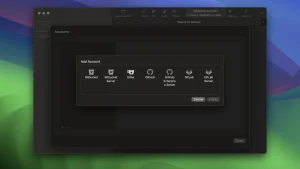
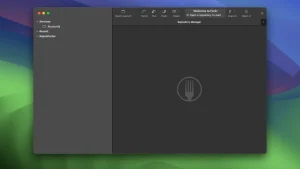
Fork has an incredibly user-friendly interface. On the left, you’ll find a comprehensive list of repositories, branches, sources, and tags, while on the right, you’ll see pending changes. At the top of the screen, you’ll also have the ability to quickly search and launch any repository. You can even organize tabs efficiently for a better workflow.
Another advantage of Fork is the ability to resolve merge conflicts in a simple and organized way. Thanks to the program’s built-in conflict wizard, you only need to follow a few simple steps to resolve code issues. The program also allows you to manage repositories without leaving the app.
Fork is a good Git client that lets you monitor every line of a file to see who made the last change. Its simple and intuitive interface makes managing all your repositories much easier.
Fork v2.67.0 for Mac A Quick Overview
Fork is a popular, fast, and friendly Git client for macOS (and Windows), known for its clean UI and a feature set that covers everything from basic commits to interactive rebase, worktrees, and AI-assisted code review. The current release is version 2.67.
What’s New
Version 2.67 focuses on navigation and keyboard-driven workflow improvements:
- New shortcut for creating tags: Shift+Cmd+G.
- Commit details popup: press Spacebar to quickly preview commit details.
- Chunk navigation: Cmd+Up/Down to jump between the previous/next diff chunk.
- Restore closed tabs: Shift+Cmd+T brings back a tab you just closed.
- Tab/Shift-Tab navigation between the commit list and commit details panel.
- Improved: collapsed commits are now remembered between app restarts.
- Improved: better bisect UX — reordered buttons, skip labels, and auto-select HEAD.
- Improved: snapping behavior for the split view in the stage view.
- Fixed: the “Select Left” button was unclickable in the merge conflict editor.
Recent Feature History
Fork has been shipping frequent updates leading up to 2.67, including:
- Collapsible commit details and sidebar keyboard navigation (2.66).
- A
.gitignoretemplate picker and extra graph colors (2.65). - AI agent integration, including Codex support for commit messages and code review, plus Cmd+V to apply a patch from the clipboard (2.64).
--update-refssupport for Interactive Rebase and a “Create Worktree” dialog (2.63).- Claude-powered code review for branches and commit message generation (2.59–2.60).
Key Features
- Visual commit graph with branch labels, drag-and-drop merge/rebase, and interactive rebase.
- Worktrees support: create, manage, and remove Git worktrees directly from the sidebar.
- Git LFS integration: file locking, status dialogs, and image previews for LFS-tracked files.
- Built-in merge conflict resolver with manual editing and a 3-column layout option.
- AI-assisted commit messages and code review, with support for multiple AI providers.
- Custom commands: build your own UI-driven or shell-based actions for repositories or files.
- Quick Launch (⌘P): a command palette for fast navigation across commands, branches, and files.
System Requirements & Pricing
Fork runs natively on Apple Silicon and Intel Macs. It’s a paid app commonly listed around $59.99 with a free trial available before purchase



About Author
