PDFify 5.2 for Mac
PDFify 5.2 for Mac
PDFify creates searchable PDFs for over 100 languages! Reduce file size in one click! You can process not only existing PDFs, but also images, scans, screenshots, emails, web pages, and more. Simply drag and drop your files into PDFify, and it will do the rest automatically.
In addition to Apple’s built-in text recognition, the proven alternative Tesseract is also supported. Find your personal favorite. Finder quick actions allow you to quickly edit multiple files at once.
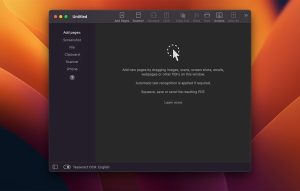
Powerful features make it easy to add new pages to PDF
• Take screenshots directly from the app.
• Use your iPhone camera as a scanner.
• The app offers its own great scanner dialog.
• Select PDFify as the destination for your ScanSnap scans.
• Paste pages directly from the clipboard.
Other useful features improve your work with PDF files:
• Have the computer read the content out loud.
• Reduce PDF file size.
• Copy all text content with one click.
• Share, save or print the finished PDF.
PDFify 5.2 for Mac: What’s New
Dirk Holtwick has released PDFify 5.2 for macOS, the latest version of the lightweight OCR and PDF utility that turns scans, images, emails, and web pages into searchable, compressed PDF files.
Scanning Gets a Major Overhaul
The biggest change in 5.2 is a redesigned scanner dialog for macOS 14 and later. Users can now choose their scan source, color mode, resolution, and duplex setting, run a live preview, and define the scan area precisely either by dragging on the preview, entering exact measurements in millimeters or inches, or selecting a standard preset like DIN A4 or US Letter that the app remembers per scanner. There’s a compact view for quick scanning and a detailed view for those who want the full set of controls visible at once. Older macOS versions continue to use Apple’s classic scanning interface.
Alongside this, a single checkbox now controls whether a new scan starts a fresh document or gets appended to the one already open, and the app has become noticeably smoother in everyday use automatically selecting the scanner when only one is connected, showing live status like page count and lamp warm-up time, and offering guidance specifically for Fujitsu ScanSnap users. Connection reliability for network and Wi-Fi scanners has also improved, with clearer error messages and a “Try Again” option when a scanner fails to open.
Smarter, Safer Compression
PDFify 5.2 adds two new compression presets, Grayscale and Black & White, aimed at shrinking pure text scans well beyond what standard compression achieves. Black & White pages in particular are now stored as true black-and-white images, cutting file sizes dramatically while keeping the document searchable and selectable.
A notable safeguard also debuts in this release: compression can no longer make a file larger than the original. A new per-preset “Guard” option, enabled by default, automatically keeps the original file if a chosen preset wouldn’t actually shrink it though it can be switched off if a preset should always apply unconditionally.
Automation and Small Conveniences
PDFify now integrates with Apple’s Shortcuts app, letting users compress a PDF, run OCR, convert to PDF/A, read text aloud, or export text as JSON directly from Spotlight, Shortcuts, or Siri without opening the app. The status bar also now displays whether an open document is PDF/A-compliant (e.g., “PDF/A-1b”), and imported images can now be fitted to additional page sizes, including A3, A5, US Legal, and Tabloid, beyond the previous A4 and US Letter options. Users can also now opt into PDFify’s beta program directly from General settings (outside the Mac App Store version) to keep receiving early builds.
Bug Fixes
This release also resolves several longstanding issues: black-and-white and full-page scans now work across more scanner models, certain JPG photos imported from Apple Photos no longer fail or produce blank pages, canceling a scan stops it immediately instead of leaving the progress bar spinning, and the alternative OCR engine no longer freezes partway through recognition.
Availability
PDFify remains free to try with no sign-up required, offering OCR in over 100 languages alongside PDF compression and batch processing. It’s available directly from the developer’s site and through the Mac App Store.



About Author
