Mole 1.8.0 for Mac
Mole 1.8.0 for Mac
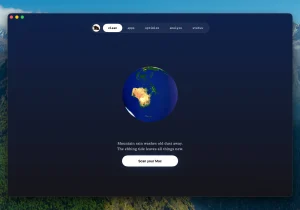
Mole is a system cleaning and maintenance tool that combines cleaning, uninstalling, optimizing, analyzing, and health checking functions into one application, eliminating the need for users to switch between multiple tools.
The default policy is a conservative approach to security: scanning and cleaning are performed locally, file contents and browsing history are not uploaded to the network, and a list of files and the space they occupy is displayed before launch, requiring the user to confirm the action before processing begins.
The app can clear caches, logs, and temporary files, remove app leftovers and startup items from the dock, perform system maintenance tasks with one click, analyze disk space using tree maps, and display real-time data on CPU, memory, GPU, disk, network, battery, and temperature usage.
The app supports deep scanning with full disk access and actively skips suspicious items when in doubt, making it ideal for Mac users looking to safely free up disk space and keep their system in tip-top shape.
Mole 1.8.0 for Mac All-in-One Mac Cleanup & Optimization Tool
Mole is a powerful, native macOS utility designed to streamline your digital workspace. Instead of cluttering your system with multiple single-purpose applications, Mole consolidates disk cleanup, app management, maintenance, disk analysis, and live system monitoring into one single, lightweight app. Built with a conservative, privacy-first mindset, Mole ensures your Mac runs smoothly without ever compromising your data.
What’s New in Version 1.8.0
Mole 1.8.0 introduces Battery Care to help supported MacBooks maintain battery charging near 80%, resuming below 75% to reduce time at full charge. Fan control now works on Apple Silicon without sudoers setup and reliably returns to Auto after any interruption. Usability improvements include clearer Optimize results, better update handling, status enhancements, and safer cleaning and uninstall actions.
Five Tools in One App
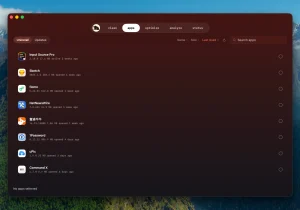
Mole offers five core tools Clean, Software, Optimize, Analyze, and Status each keeping their own page and job, covering everyday jobs people typically split across CleanMyMac, App Cleaner & Uninstaller, Sensei, DaisyDisk, and iStat Menus.
Privacy First
The Mac app has no analytics or telemetry files stay local. Every action shows the file list and byte count before anything is removed. Uninstalls go through the system Trash so a wrong tap is recoverable, and caches are removed permanently so the freed bytes are real. System paths and anything outside known cache locations are denied the app would rather skip a file than risk one.
Pricing & Requirements
Mole is a one-time purchase at $19, covering lifetime updates and activation on 2 Macs, with a 14-day refund policy. It requires macOS 14 or later. The CLI version remains free and open source for terminal users.
In short, Mole 1.8.0 is a must-have for any Mac user who wants a fast, private, and reliable all-in-one system maintenance tool without juggling multiple expensive apps.



About Author
