iNet Network Scanner 4.0.1 for Mac
iNet Network Scanner 4.0.1 for Mac
iNet – Explore your network! Learn about security threats and keep your network under control. This easy-to-use application describes your computer network, even for inexperienced users.
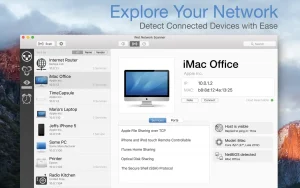
iNet displays devices connected to your local network, including computers and routers, along with their names, IP addresses, and vendors. iNet detects and differentiates between Windows and Macintosh computers. For most Apple computers, you can also see the specific model. Find out the names, vendors, and IP addresses of connecting devices, as well as the number of Bonjour services running on a given device.
The technology used in iNET scans at a very low level, so it is possible to find, for example, a Mac OS X computer that is running in stealth mode.
Peculiarities:
– Network scanning
-Ping
-Bonjour browser
-Portscan
-Device info
-Wake on Lan (turning on the computer via the network)
-Sleep on Lan (Macintosh only)
-Extensive help section
-Sending results by email
We gave iNet a fresh look and got it ready for the future:
Modern macOS design – iNet now blends seamlessly into the latest macOS look and feel
Dark Mode support – easier on the eyes, day or night
Under-the-hood improvements – the app’s codebase has been modernized to stay fast, stable, and ready for upcoming macOS releases
As always, thanks for an independent supporting, privacy-first app.
iNet Network Scanner 4.0.1: A Complete Look at Your Local Network
iNet Network Scanner is a Mac App Store utility designed to give users a clear, easy-to-understand view of every device and service connected to their local network. It’s aimed at both home users who want to know who’s using their Wi-Fi and IT-minded users who need quick diagnostics without resorting to complex command-line tools.
Core Features
The app combines four main tools in one interface:
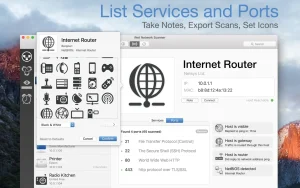
- Network Scanner Lists every device on the network with IP, MAC address, and vendor details. Devices can be tagged with custom names and icons for fast identification, scan ranges and interfaces can be set manually, and results can be exported as CSV or PDF. It also offers one-click SSH, VNC, and HTTP shortcuts to connect straight to discovered devices.
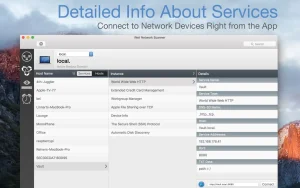
- Bonjour Monitor Shows a real-time view of Bonjour services running on the network, with detailed info per service and per domain.
- Wake on LAN Lets users wake, sleep, shut down, or restart Macs and PCs remotely, either over the local network or the internet, with a favorites list for frequently used devices.
- Airport Monitor Displays live status, traffic, and Wi-Fi quality graphs for Apple AirPort base stations, though it doesn’t support the newest 802.11ac AirPort hardware since Apple removed SNMP support from those models.
What’s New in 4.0.1
This release is primarily a design and stability update rather than a feature expansion. It refreshes the interface to match current macOS visual standards, adds full Dark Mode support, and modernizes the underlying codebase for better performance and readiness for future macOS versions. The core toolset scanner, Bonjour monitor, Wake on LAN, and Airport tools remains unchanged.
Pricing and Requirements
iNet is sold as a one-time Mac App Store purchase for $24.99, with Family Sharing support for up to six users and no subscription required. The developer states the app collects no user data. It requires macOS 12.4 or later and is distributed exclusively through the Mac App Store.



About Author
