Capture One Pro 16.8.0.32 for Mac
Capture One Pro 16.8.0.32 for Mac
Designed with the world’s most discerning photographers in mind, Capture One is the professional choice for imaging software, supporting over 500 cameras from Canon, Nikon, Sony, Fujifilm, Phase One, and many more.
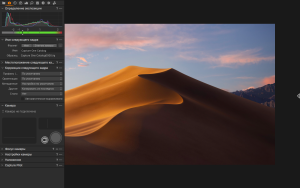
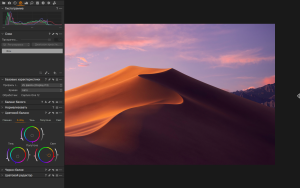
Capture One Pro is one of the most powerful professional RAW digital photo converters, supporting a wide range of modern cameras. It allows you to convert files on the fly to full-size TIFF (RGB/CMYK) and JPG formats in single and batch modes, adjust white balance, effectively process overexposed and underexposed images, fine-tune sharpness, and remove color noise.
Capture One allows you to apply multiple adjustments to the same image. The original RAW file is used as a template, not the result of previous adjustments. The workspace is divided into several areas, the number of which is equal to the number of adjustments on the original digital negative. White balance is adjusted using the color temperature and tint controls. You can also select scene modes, which are common in many cameras. You can also use the eyedropper tool. A neutral gray point is indicated on the photo, from which the white balance is adjusted.
Capture One Pro 16.8.0.32 Mac
Capture One Pro 16.8.0 is one of the most significant updates in the 16.x series. Released on May 28, 2026, it is a major release introducing Enhanced Denoise for improved noise reduction in high-ISO images, 2nd Gen Wireless Tethering with near-wired speeds for Canon, and Assisted Review in beta, which helps automatically filter out closed eyes, out-of-focus eyes, and black frames without the need for manual sorting. Capture One
What is Capture One Pro?
Capture One Pro is a professional RAW photo editor and digital asset management tool developed by Capture One A/S. It supports RAW files from over 650 cameras and tethering from over 200 cameras, and is widely regarded as the gold standard for color grading, image quality, and tethered shooting among professional photographers. Its customizable workspace, precision adjustment tools, and processing engine make it the preferred choice over Lightroom for many studio and commercial photographers.
What’s New in 16.8
The Enhanced Denoise feature targets high-ISO images with significantly improved AI-driven noise reduction that preserves fine detail better than earlier methods. The 2nd Gen Wireless Tethering for Canon cameras brings performance close to wired speeds, making wireless shooting on set far more practical. Assisted Review is a beta feature that helps automatically filter out closed eyes, out-of-focus eyes, and black frames without the need for manual sorting a genuine time-saver in high-volume shoot reviews. Capture One
When Preview Is Ready puts the image on screen the moment it is received while AI adjustments run in the background, and ReTether sees quality-of-life improvements and is now extended to wireless shooting for Canon cameras. Capture One
For teams, 16.8 also introduces Actions for Studio for Teams and Studio for Enterprise, letting teams trigger third-party creative work from within Capture One, routing images to Pixelz, Photoroom, or Gemini. Studio for Enterprise also gains a new Web-Based Admin Portal, giving IT admins and studio managers a single web-based place to deploy Capture One, manage user access, and handle licenses across the organization. Capture One
Pricing
Capture One Pro is available as a subscription starting at $24 per month or $179 per year, with a perpetual license also available. A 30-day free trial is offered. It requires macOS 12 or later and runs natively on both Intel and Apple Silicon Macs.


About Author
