ExactScan 26.6.20 for Mac
ExactScan 26.6.20 for Mac
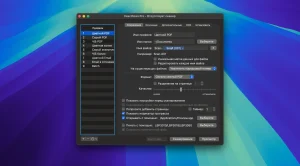
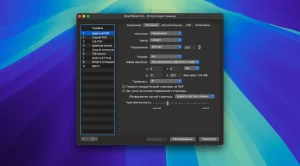
ExactScan Pro is document scanning software for Mac.
Program Features:
– More than 400 built-in drivers for professional document scanners from Avision, Canon, Fujitsu, HP, Kodak, Oki, Visioneer and Xerox – Support for various third-party scanners via ImageCapture and TWAIN drivers – Saving in PDF, TIFF, JPEG, JPEG 2000, PNG, BMP, PNM formats – Advanced and intelligent image processing algorithms – Auto-cropping and skew correction – Removing blank pages – Direct scan-to-print – Profiles for customizing the scanning workflow – AppleScript support for professionals
Some additional features of ExactScan Pro:
– Text recognition for creating searchable PDF files – Automatic rotation, color and source detection – Ability to print flexible text on a scanned image – Barcode recognition for sorting files by barcode – Batch processing of existing image files
Here’s a short article on ExactScan 26.6.20 for Mac:
ExactScan 26.6.20 for Mac Professional Document Scanning for a Paperless Office
ExactScan is a modern scanning solution for macOS that helps you go paperless by allowing you to scan, file, sort, archive, and find your documents quickly saving time and money by transferring paper into the digital world. Developed by ExactCODE GmbH, it is one of the most comprehensive document scanning apps available for Mac.
Massive Scanner Compatibility
ExactScan includes more than 500 different built-in drivers for document scanners from Avision, Canon, Fujitsu, HP, Kodak, Oki, Panasonic, Visioneer, and Xerox scanners that otherwise don’t come with a manufacturer’s Mac driver and thus wouldn’t work at all. Additionally, it supports the use of different scanners with TWAIN and ImageCapture drivers.
Smart Image Processing
ExactScan features automatic paper size detection that recognizes any page size and creates multi-page documents with different sizes, even from flatbed. Its sophisticated image algorithms automatically detect how images need to be cropped and de-skewed. Intelligent black and white thresholding, combined with blank page detection, helps save significant storage space.
Pro Features OCR & Automation
ExactScan Pro adds powerful OCR capabilities to create searchable PDF documents on the fly. The OCR engine supports 25 languages including English, French, German, Spanish, Russian, and more. The Pro version also includes auto-rotation, automatic color and source detection, the ability to append pages to existing PDFs, 1D barcode recognition for batch splitting, an Imprinter for adding watermarks or dates, and full batch processing support.
AppleScript & Workflow Automation
ExactScan includes extensive AppleScript support, allowing professionals to directly access scanning profiles, set resolution and color mode, define the destination directory, and monitor processing status making it ideal for custom automated document workflows.
Output Formats & System Requirements
Supported output formats include PDF, TIFF, GIF, PCX, JPEG, JPEG-2000, BMP, PNG, and PNM, with the Pro version adding RTF, HTML, and TXT. ExactScan requires macOS 10.13 High Sierra or later and runs natively on both Intel and Apple Silicon processors. A free 14-day trial is available that can be fully unlocked with a purchased license key.
In short, ExactScan 26.6.20 is the go-to document scanning solution for Mac users who need broad scanner compatibility, powerful image processing, and professional OCR all in one lightweight, aggressively updated app.



About Author
