Unite Pro 1.5 for Mac
Unite Pro 1.5 for Mac
Unite lets you quickly and easily turn websites into fully functional native macOS apps. Using the revolutionary Unite browser as the backend, each Unite app has its own browser, remaining incredibly small and fully featured. And because
Each Unite app is a unique browser, with its own cookies and settings, as well as support for custom scripts and user styles. In addition to modern web browsing features, Unite apps include macOS-specific functionality, including notifications, Touch Bar support, the ability to pin apps to the status bar, and more.
Unite Pro 1.5 for Mac A Quick Overview
Unite Pro is a site-specific browser for macOS that turns any website into a native-feeling, isolated Mac app letting you run web services like Gmail, Notion, or Netflix outside a cluttered browser tab and more like real desktop software. The current release is version 1.5.
What’s New
Version 1.5 focuses on media playback and app reliability:
- Expanded media key support: Media controls (play/pause, skip, etc.) now work on more websites, even when the app is running in the background.
- Fullscreen video fixes: Resolves fullscreen playback issues for YouTube playlists and Netflix inside Unite apps.
- Safer native app links: Better handling of external app prompts and native app link support.
- Additional improvements to WebView cleanup, user agent handling, and text editing shortcuts.
System Requirements
- macOS 15 or later required.
- Optimized for both Apple Silicon and Intel-based Macs, with a native interface designed for macOS 26 (Tahoe).
Key Features
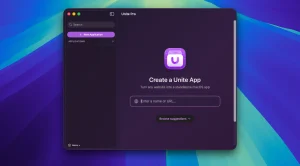
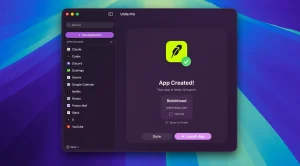
- Turn any URL into a Mac app in seconds just enter the URL, pick an icon, and customize.
- Multiple app modes: standard window, sidebar, floating/compact view, or menu bar utility.
- Full process isolation: each app runs in its own lightweight, WebKit-based environment, similar to a separate browser instance.
- Deep customization: show/hide title bars, match window colors to site branding, manage tabs with pinning and locking, and control how links open.
- Per-app notifications and Focus Mode support to cut down on distractions.
- Built-in ad blocker and customizable keyboard shortcuts.
- macOS integration: Dock badges, meeting alerts, and other native touches that a plain browser tab doesn’t offer.
Pricing
Unite Pro is a separate, paid product from the original Unite app. Existing Unite Pro owners get 1.x updates for free, and users upgrading from Unite 5/6, Coherence X, or Quip are typically offered a discounted upgrade price for a limited time.



About Author
