Permute 4.0.3 for Mac
Permute 4.0.3 for Mac
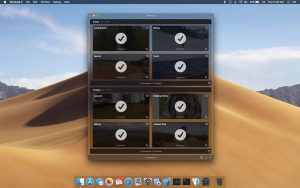
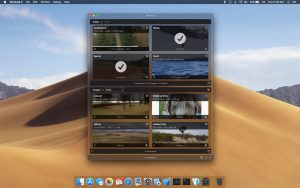
Permute is a fast image, audio, and video converter. You can use it for files of any format because Permute converts almost anything. While you’ll need other services to turn water into wine, media files can be converted into any format you need. Permute also offers several additional features, such as merging two videos or adding a subtitle track.
Permute Key Features
Video converter
The great thing about Permute is that you don’t need separate converters for MP4 and FLV. Instead, you have a single video converter that handles all formats. You can quickly convert downloaded videos to any of dozens of formats with just one click.
Audio converter
Just like with video, Permute works great for audio conversion. You drag and drop an audio file into the app and choose what you want to convert it to. Whether you choose Apple Lossless or FLAC, Permute will handle everything perfectly. Drag, drop, choose, and you’re done!
Video to audio converter
This is a tricky part for many converters, but Permute has no problem converting video to audio files. So, if you only need the audio track from a video you like, you can get it without having to search for it separately. Voiceovers and interviews are all at your disposal.
Image converter
Instead of opening Photoshop, Illustrator, and Sketch to convert JPG images to PNG, you can use Permute. Two clicks, and your photos are ready. The image converter has everything you need: BMP, GIF, and even TIFF.
Video editing
Permute has a neat feature called “merging” two videos into one. It’s pretty cool, considering you don’t need any complicated video editing programs or online viewing tools during processing. Right-click on the selected clip and select “Merge With”and you’re done!
Converting to ISO
Prepare your files for burning to a DVD (if you still need a DVD, my old-fashioned friend) or a virtual drive. Any file can be converted to ISO format, which is what you need for subsequent burning.
Permute 4.0.3 Media Converter for Mac
Permute 4 is a significant new chapter for one of the most popular media converters on Mac. Developed by Charlie Monroe Software, version 4.0.3, released on June 11–12, 2026, is the latest build in the brand new Permute 4 line that launched on May 26, 2026, replacing Permute 3 entirely.
What is Permute?
Permute is a drag-and-drop media converter for Mac that converts video, audio, and image files to a wide range of formats with no complicated settings required. You drop your files in, pick a preset or output format, and it handles the rest quickly and cleanly. It supports batch processing, hardware-accelerated HEVC and ProRes encoding, volume adjustment, cropping, trimming, rotating, flipping, and subtitle burning, all from one straightforward interface.
What’s New in Permute 4
Permute 4 is built exclusively for Apple Silicon Macs running macOS 26 or later a clean break from the past that lets the app take full advantage of the M-series chip’s media engine. Hardware-accelerated MP4 and HEVC conversions are now significantly faster, with HEVC encoding reportedly more than three times quicker than Permute 3 on the same content. The Workshop module has been rebuilt with new automation tools including a Crop option for Shortcuts, making it possible to automate cropping and conversion workflows end to end. A File Cutter module lets you split files, and the UI has been updated throughout for macOS 26.
What’s New in 4.0.3
Version 4.0.3 adds a quit confirmation dialog when conversions are running, so you no longer risk accidentally cancelling active jobs. It also fixes an issue where various presets might not properly reset all settings when reset, and changes AppleTV presets to no longer allow QuickTime metadata by default users who want to keep this option can re-enable it in Settings. Macupdate
Earlier patch 4.0.1 added HEIC extension control, optional QuickTime metadata copying in video presets, a crash fix for RAW custom presets, and a fix for subtitle delay when burning subtitles into video.
Intel Mac Users
Permute 4 requires macOS 26 and Apple Silicon. If you are on an Intel Mac or macOS 11–15, Permute 3 remains available as a permanent license purchase with a free upgrade to Permute 4 included when you eventually move to a newer machine.
Pricing
Permute 4 is a one-time purchase at $14.99 directly from charliemonroe.net, with a full trial available before buying. It is also available through Setapp and as a discounted bundle with Downie for users who also download web video.



About Author
