Haptyk 2.0.1 for Mac
Haptyk 2.0.1 for Mac
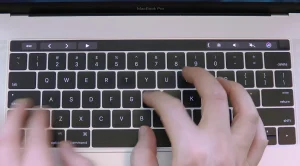
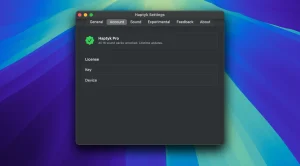
Haptyk is a unique app that transforms your MacBook’s built-in keyboard into a mechanical one with tactile-sensitive sounds: the harder you press a key, the louder and richer the sound, thanks to the hidden Apple Silicon accelerometer.
Haptyk requires a MacBook with Apple Silicon M2 Pro or higher.
Haptyk 2.0.1 for Mac: A Quick Look
Haptyk is a niche but clever macOS utility that solves a very specific problem: MacBook keyboards are quiet, and some people miss the tactile, audible feedback of a mechanical keyboard. Instead of just playing a random click sound on every keypress like most competitors, Haptyk takes a more technical approach.
The Core Idea
Apple Silicon MacBooks contain a hidden MEMS accelerometer, managed by the Sensor Processing Unit, that Apple never documented for this kind of use. Haptyk taps into this sensor via IOKit HID, sampling impact force at roughly 1,000 times per second. Every keystroke gets classified into a tier soft, medium, hard, or slam based on how forcefully you actually typed, and the app plays a matching sound in under a millisecond. Type gently, hear a soft click; slam a key, hear a deep clack.
Built for Speed
The app’s audio engine and impact-detection code are written in C, avoiding Electron or any web-based wrapper. This keeps CPU usage low (the developer cites around 0.3% average) and latency effectively imperceptible, which matters a lot for something tied directly to typing feedback.
What a 2.0.1 Update Likely Means
Haptyk has moved through a series of point releases (1.0.x, 1.1.x) as it added sound packs and refined accelerometer accuracy. A jump to a 2.0 major version typically signals a bigger step perhaps expanded hardware support, new sound packs, or interface changes while a follow-up 2.0.1 release is usually a stability patch: fixing bugs, tightening sensitivity calibration, or resolving compatibility quirks introduced in the 2.0 update, rather than adding new features.
Compatibility
Haptyk requires an Apple Silicon MacBook (M1 and later, with M2/M3/M4 officially supported) running macOS 13 Ventura or newer, since it depends on the accelerometer hardware unique to these chips.
Note: Haptyk is a smaller independent app, and a detailed public changelog specifically for version 2.0.1 wasn’t available at the time of writing. For exact release notes, check the app’s built-in update dialog or haptyk.com.



About Author
