EverWeb 4.5.0 for Mac
EverWeb 4.5.0 for Mac
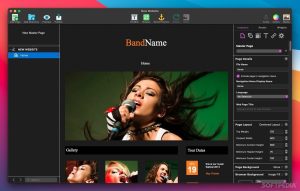
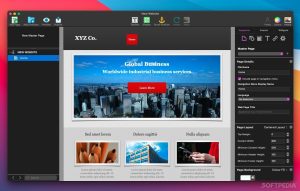
With EverWeb, anyone can create a professional website with just drag and drop. Use one of the built-in templates or start from scratch and create the perfect website for your business or personal hobby. Add text, photos, videos, widgets, and more to easily create the website you need.
Create 100% responsive websites without writing a line of code or having any technical skills.
EverWeb takes care of everything to make your website look stunning on mobile devices, tablets, and desktops.
BUILT-IN BLOG
Create your own blog with EverWeb’s built-in blogging engine!
There’s no need to install complex scripts or configure databases, EverWeb lets you create your own blog with the click of a button.
It’s never been easier to start a blog with your own design!
AUTOMATIC DROP-DOWN MENUS
Automatically generate drop-down navigation menus without coding.
PICTURE FRAMES
Over a dozen photo frame designs help highlight important images.
MAIN PAGES
Design your site once and automatically update all pages with your homepages.
SIMPLE DRAG AND DROP DESIGN
Easily create your website without any coding. Simply drag and drop it onto a professional website.
Google Fonts
EverWeb includes built-in support for Google Fonts. Simply install the font you need, and EverWeb will take care of the rest.
SITE SEARCH
Easily add search functionality to your website with the click of a button.
EverWeb 4.5.0 for Mac What’s New
RAGE Software has released EverWeb 4.5.0, a major update to its popular drag-and-drop website builder for Mac and Windows. Building on the Containers feature introduced in EverWeb 4.4, this release expands design flexibility and adds several long-requested interactive features.
Key New Features
1. Carousel Widget A brand-new Carousel widget lets users create rotating content displays perfect for showcasing products, testimonials, or image galleries in a compact, interactive format.
2. Popup Windows Designers can now trigger popup windows on their pages, useful for announcements, promotions, contact forms, or additional information without navigating away from the current page.
3. On-Click Actions This feature allows objects to control other elements on the page when clicked for example, opening a popup, triggering an animation, or revealing hidden content, all without any coding.
4. Overlay Effects and Background Masks New overlay effects and background masking options give designers more creative control over how images and sections blend and layer on a page.
5. Object Pinning and Target Focusing Pin settings let elements stay fixed in position as visitors scroll, while target focusing for images helps ensure the most important part of an image stays visible across different screen sizes.
6. Expanded Containers The Container object, introduced in EverWeb 4.4, gains new capabilities in this release, giving users even more ways to group and arrange elements for responsive layouts.
Why It Matters
EverWeb 4.5.0 continues the software’s shift toward modern, code-free interactivity, making it easier for small business owners, photographers, and freelancers to build more dynamic, app-like websites without touching a line of JavaScript.



About Author
