BuhoLaunchpad 1.8.1 for Mac
BuhoLaunchpad 1.8.1 for Mac
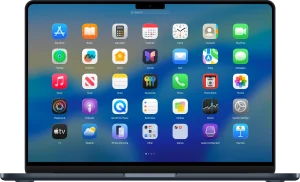
Missing Launchpad in macOS 26 Tahoe? BuhoLaunchpad brings back the simple, full-screen, and familiar app launcher interface you love.
A familiar app launch experience. BuhoLaunchpad not only perfectly recreates the classic Launchpad interface on macOS, but also expands it with the functionality you’ve always expected. Enjoy a convenient and intuitive grid view for viewing all your apps, instantly find everything using search, and easily organize your workspace with drag-and-drop.
Fully customizable grid organization. Gain complete control over your app layout with an intuitive full-screen grid. Easily drag and drop icons to organize them and enjoy the most convenient folder creation. Group related apps into custom folders to maintain order in your workflow. Ultimately, BuhoLaunchpad is an app launcher that truly adapts to you, not the other way around.
Launch with a trackpad gesture. Instantly launch or close BuhoLaunchpad from anywhere using familiar four- or five-finger trackpad gestures. It responds precisely to your every command. Manage your app collection using your preferred tool—keyboard arrows, trackpad gestures, mouse rotation, or mouse clicks.
Easy backup, restore, and migration. Easily back up and restore your app’s layout. BuhoLaunchpad not only imports your previous Launchpad settings to macOS Tahoe but also lets you back up and restore your perfect app layout at any time. Your workflow is preserved across updates and across different Macs.
Customize the layout of app elements to your liking. BuhoLaunchpad allows you to customize the grid by setting a custom number of apps in rows and columns, giving you complete control over the organization of your apps. Set the number of rows and columns to create the perfect app grid. Whether you prefer a compact look or a spacious layout, BuhoLaunchpad adapts to your needs.
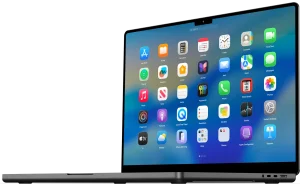
Adapts to the macOS 26 app icon style. BuhoLaunchpad is the only Launchpad utility that fully adapts to the default app icon style of macOS 26 Tahoe. Whether your system is set to the default, dark, light, or tinted app icon style, BuhoLaunchpad seamlessly follows your preferences, always displaying app icons exactly as you expect.
BuhoLaunchpad 1.8.1 for Mac Bring Back the Launchpad Apple Took Away
With macOS 26 Tahoe, Apple quietly removed several beloved Launchpad gestures and features that Mac users had relied on for years. BuhoLaunchpad by Dr.Buho puts them all back and then goes far beyond what Apple’s original Launchpad ever offered. Version 1.8.1, released on May 21, 2026, is the latest build smoother, smarter, and more polished than ever.
What’s New in v1.8.1?
Refined Folder Animations Folder open and close animations have been polished for a smoother, more fluid feel bringing them closer to the buttery experience macOS users expect.
Fixed Mouse-Drag Page Switching A bug affecting page switching via mouse drag has been resolved navigating between pages of your app grid is now seamless and reliable, whether you use a mouse or trackpad.
Why BuhoLaunchpad Is a Must on macOS 26
Full-Screen App Grid Restored BuhoLaunchpad brings back the classic full-screen app grid that macOS 26 Tahoe removed clean, spacious, and beautifully organized, just the way it should be.
Smart Instant Search Type any letter and your apps filter instantly. Search is clean and smart it trims extra spaces, finds apps in non-standard locations like /Users/Shared/Applications and ~/Applications, and even refreshes automatically when you install or move apps.
All the Gestures You Missed
- Four or five-finger trackpad pinch to open BuhoLaunchpad
- Keyboard arrows and mouse scroll to move between pages
- Vertical trackpad swipe for smooth page navigation
- Hot Corners shortcuts for instant access
Custom Grid Layouts Set exactly how many rows and columns you want tailor your app grid to your screen size and personal taste. Drag and drop apps to reorder them, and create folders just like on iOS.
Layout Profiles Create and save multiple layout profiles Work, Creative, Weekend, or any custom setup you like. Switch between them with one click. Accidentally messed up your layout? Hit reset and it’s instantly restored.
Hide Apps Without Deleting Right-click any app to hide it from your grid without uninstalling it. Manage all hidden apps from one centralized panel a cleaner, tidier Launchpad, always.
Import Old Launchpad Layouts Already have a Launchpad layout set up in a previous macOS version? BuhoLaunchpad lets you import your old layout so you can pick up exactly where you left off.
Compatibility
- Requires macOS 26 Tahoe or later
- Supports both Apple Silicon and Intel Macs
- Available from drbuho.com



About Author
