Bloom 1.5.35 for Mac
Bloom 1.5.35 for Mac
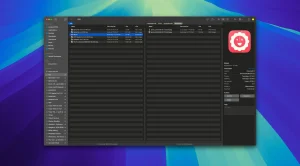
Bloom is an advanced file management tool designed to improve your search and navigation in macOS, offering a more intuitive and feature-rich alternative to Finder. With Bloom, you can instantly navigate to any location on the system using the keyboard shortcut ⌘⇧⏎, making file access seamless and efficient.
Some features of the application:
Advanced search capabilities: Bloom lets you search for files by keyword in predefined locations, scanning tens of thousands of files in seconds for lightning-fast results. You can also search directly in any folder using ⌘F and refresh results using ⌘R.
– Portal mode: A compact window without a sidebar or preview, Portal retains core functionality and can be docked on top of other windows or minimized to the edge of the screen for convenience.
– Archive Preview: View the contents of compressed files without extracting and view text, images or PDF files smaller than 10MB by pressing the space bar or double-clicking.
-Enhanced file management: Features such as automatic column resizing, advanced renaming with regular expression support, workspace customization, iCloud Drive integration, and tag management enhance your file browsing experience.
-Multimedia and productivity tools: Convert and optimize images, easily create different file types, insert images from the web, and organize files by type or date. Bloom also records every operation for easy recall and supports launching the terminal directly from a folder.
-Disk analysis and task management: Use folder scanning to visualize disk usage with a tree map and manage file operations with the task scheduler to track progress.
Bloom 1.5.35 for Mac A Quick Overview
Bloom is a Finder replacement for macOS, built to give power users a faster, more customizable way to browse, search, and manage files. The current release is version 1.5.35, which focuses on UI customization and quality-of-life improvements.
What’s New
Version 1.5.35 adds:
- Sidebar and path bar color options for a more personalized workspace.
- Tag assignment from the right-click menu, making it quicker to tag files without opening a separate panel.
- Preview date editing.
- AppleScript layout control, allowing automation of window/layout setups.
- More toolbar style options.
System Requirements
- macOS 14.0 or later required.
- Works on both Intel and Apple Silicon Macs.
Key Features
- System-wide “Go to Folder” (⌘⇧⏎) for instant navigation to any location.
- Keyword search across predefined locations, fast enough to scan tens of thousands of files in seconds.
- In-folder live search (⌘F) with results that update as the file system changes; refresh manually with ⌘R.
- Multi-pane layouts and saved Workspaces to cut down on window clutter.
- Portal mode: a compact, sidebar-free window that can be pinned on top or collapsed to the screen edge.
- Archive viewing: browse compressed file contents without extracting, with quick previews for text, images, and PDFs under 10MB.
- Footprints: a record of file operations so deletions and renames can be undone.
- Folder Scan: a treemap-based disk usage visualizer, plus a Task Scheduler for tracking file operations.
Pricing & Privacy
Bloom is sold as a one-time purchase with a 7-day free trial and free updates from the developer. It’s not on the Mac App Store, so it’s installed directly from the developer’s site or via Homebrew. According to the developer, Bloom runs offline and doesn’t collect personal data; some tagging features may require granting Full Disk Access in System Settings.



About Author
