ACDSee Photo Studio 26.0.3 for Mac
ACDSee Photo Studio 26.0.3 for Mac
One of the best solutions for working with graphic images on a Mac. High-quality photo processing, streamlining every aspect of the workflow, saving users time, effort, and money—ACDSee Photo Studio delivers all this.
Flexible organizational tools to suit any workflow, lightning-fast non-destructive adjustments, drag-and-drop search, smooth, customizable batch presets, and RAW support for over 450 camera models are just some of the features that make ACDSee Photo Studio for Mac a must-have image editing software for macOS.
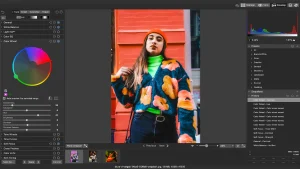
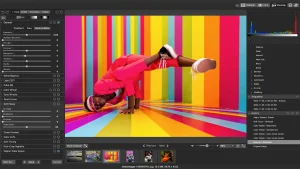
With ACDSee Photo Studio’s powerful RAW processing engine, you can transform raw sensor data into compelling digital art. Built-in RAW support allows you to parametrically adjust exposure, clarity, sharpness, lighting, color, noise, detail, and more.
Create your own photo management rules with comprehensive tools for navigating, searching, sorting, and sharing. Sort by date, rate images to track your best work, and set categories and keywords using a method that works for you. Organize your collection, find duplicates to save space, view and edit EXIF and IPTC information, and insert your own metadata. Identify individual images for further processing using customizable color labels and visual tags.
ACDSee Photo Studio 26.0.3 for Mac AI-Powered Photo Management & Editing for macOS
ACDSee Photo Studio for Mac 26 is built to put the power back in the photographer’s hands. Intelligent AI tools simplify organization, while non-destructive editing gives photographers full creative control over their workflow.
What’s New in Version 26.0.3
Version 26.0.3 (released May 26, 2026) addresses several important issues: a bug where adding a new keyword or category could crash the application in certain scenarios has been fixed, an issue where clicking away from a new keyword or category didn’t stop editing has been resolved, and a problem where ratings for RAW files weren’t being read correctly has also been corrected.
AI-Powered Organization
ACDSee Photo Studio for Mac includes AI Keywords, which effortlessly organizes and makes photos searchable using AI-detected keywords. It also features AI Denoise, which uses advanced machine learning to automatically detect and reduce pixelated noise in photos while keeping important details sharp and Batch AI Denoise allows users to apply this to multiple files at once in Manage mode.
Smart Browsing & Grouping
The Group By feature in Manage mode lets users quickly group images by size, date, author, camera, type, rating, label, and much more for an intuitive browsing experience. New AI Develop Mode presets including AI Background, AI Portrait, AI Sky, and AI Subject are also available, and users can create their own custom Develop presets that apply AI features to each new image.
People Mode & Face Detection
People Mode makes identifying and managing people in a photo portfolio easier using AI-driven face detection, allowing photographers to put a name to a face across their entire collection.
Non-Destructive Editing & RAW Support
ACDSee Photo Studio for Mac offers a full non-destructive Develop mode for RAW processing alongside comprehensive editing tools, making it a strong alternative to Lightroom for Mac-based photographers. A 30-day money-back guarantee is available, so users can try the software with complete confidence.
In short, ACDSee Photo Studio 26.0.3 is a mature, feature-rich photo management and editing solution for Mac users who want professional-grade AI tools, powerful organization features, and a reliable non-destructive workflow all in one app.



About Author
