DaVinci Resolve Studio 21.0.2 for Mac
DaVinci Resolve Studio 21.0.2 for Mac
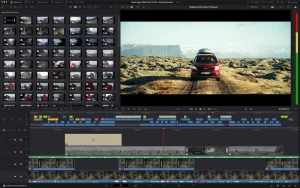
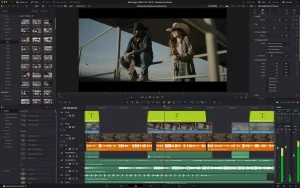
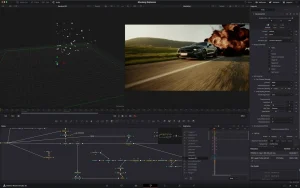
DaVinci Resolve is the world’s only solution for editing and color correction, visual effects, graphics creation, and audio post-production in a single software environment. Its modern, stylish interface is simple and intuitive for both new and experienced users.
DaVinci Resolve significantly streamlines your creative process, eliminating the need to master multiple applications or switch between different systems. This allows you to work with high-quality original images. Essentially, DaVinci Resolve combines all the attributes of a post-production studio. Now you have access to the same DaVinci Resolve tools used in Hollywood!
Many film and television professionals prefer DaVinci Resolve. Its incredible quality and extensive toolset set it apart from the competition. DaVinci Resolve utilizes Emmy™-winning, patented YRGB color space processing with 32-bit floating-point precision.
Support for the latest HDR formats is also provided. Furthermore, there’s a Fairlight block for mixing and mastering audio. Now, video grading can be accomplished using tools commonly used by professional colorists, editors, artists, and sound engineers.
DaVinci Resolve Studio 21.0.2 for Mac What’s New
Blackmagic Design has released DaVinci Resolve Studio 21.0.2, a maintenance update arriving just 8 days after version 21.0.1. Rather than adding major new features, this release focuses on cleaning up a broad set of small but nagging issues across editing, color, Fusion, and Fairlight — making the overall experience noticeably smoother.
What’s Fixed in 21.0.2
- Faster image bypass switching when toggling color or Fusion effects on and off
- Improved retime speed curve display for smoother, more accurate motion editing
- Fixed keyframe pasting between clips, which was previously buggy
- Better inspector text display, including a fix tied to spell check and Unicode rendering
- Fixed video inspector zoom minimum values
Studio-Exclusive Improvement
As the paid tier, DaVinci Resolve Studio 21.0.2 includes one important fix not found in the free version: improved H.264 and H.265 decode performance on NVIDIA GPUs. For editors and colorists working with long-form H.264/H.265 footage on NVIDIA hardware, this directly improves playback and scrubbing smoothness, since decode bottlenecks were previously a common pain point.
System Requirements on Mac
On macOS, Resolve 21.0.2 requires macOS 15 Sequoia or later on an Apple Silicon machine, along with 8 GB of system memory (16 GB if using Fusion).
Context
This is the second point release for the DaVinci Resolve 21 line the major version that introduced the new Photo page and a significantly expanded AI toolset. It follows version 21.0.1, which had focused primarily on RAW decoding accuracy and HDR delivery fixes. A parallel Fusion Studio 21.0.2 update was also released for users of the standalone compositing app, including similar inspector display fixes and general stability improvements.
Should You Update?
If you’re on DaVinci Resolve 21 already, this is a low-risk, worthwhile update it’s purely fixes and polish, with no workflow-breaking changes. As always with Resolve, it’s a good idea to back up your project files before updating, especially since projects opened in version 21 can’t be reopened in 20.3.2 or earlier.

![NetWorker Pro v11.0.11 [MAS] for Mac](https://appmacs.com/wp-content/uploads/2026/05/NetWorker-Pro-v11.0.11-MAS-for-Mac-200x125.jpeg)

About Author
