SponsorBlock for YouTube 6.1.6 for Mac
SponsorBlock for YouTube 6.1.6 for Mac
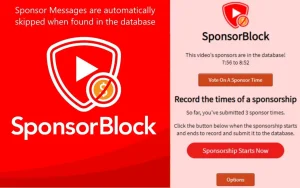
SponsorBlock lets you skip sponsored inserts, intros and outros, subscribe requests, and more in YouTube videos.
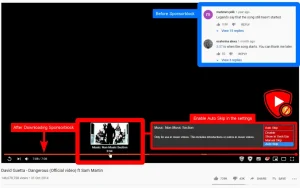
SponsorBlock is a collaborative extension that allows anyone to submit the start and end times of similar segments in a video. Once someone submits this information, all other extension users will automatically skip these segments. You can also skip sections of clips without music.
SponsorBlock for YouTube 6.1.6 for Mac
SponsorBlock is a free, crowdsourced Safari extension that automatically skips sponsor reads, intros, outros, subscription reminders, and other annoying segments in YouTube videos. Instead of blocking YouTube’s actual pre-roll ads, it uses timestamps submitted by other viewers to jump straight past sponsored content.
How It Works
The extension queries a public, community-built database of segment timestamps. When you watch a video, it automatically skips the marked ranges sponsors, self-promo, subscribe reminders, and more, depending on which categories you enable. Users can also submit new segments and vote on existing ones. It’s open source, and the entire database is publicly downloadable.
Key Features
- Sponsor & Segment Skipping auto-skips sponsor reads, intros, outros, and non-music parts of music videos
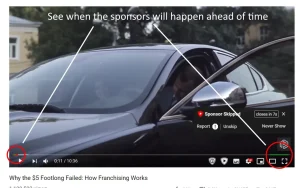
- Colored Progress Bar Markers see flagged segments right on the video timeline
- Channel Skip Profiles choose which categories to skip per channel, rather than one blanket setting
- Community Voting submit or vote on segment timestamps
- Anonymous by Design – uses a random user ID, not your Google account, for reputation/leaderboard purposes
What’s New in 6.1.6
- Fixed YouTube creator chapters not reliably showing on the video timeline
- Added an option to hide creator chapters when they clutter SponsorBlock’s own segment markers
- Chrome-only: added a more private dynamic extension URL (doesn’t affect Safari on Mac)
Compatibility
Requires macOS 11.0 or later. Note: it only works inside Safari (or other supported browsers) on the YouTube website it does not affect the native YouTube app or remove standard YouTube ads.


About Author
