Bloom v1.5.33 for Mac
Bloom v1.5.33 for Mac
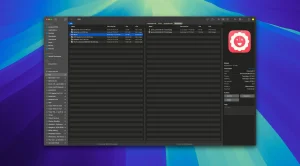
Bloom is an advanced file management tool designed to improve your search and navigation in macOS, offering a more intuitive and feature-rich alternative to Finder. With Bloom, you can instantly navigate to any location on the system using the keyboard shortcut ⌘⇧⏎, making file access seamless and efficient.
Some features of the application:
Advanced search capabilities: Bloom lets you search for files by keyword in predefined locations, scanning tens of thousands of files in seconds for lightning-fast results. You can also search directly in any folder using ⌘F and refresh results using ⌘R.
– Portal mode: A compact window without a sidebar or preview, Portal retains core functionality and can be docked on top of other windows or minimized to the edge of the screen for convenience.
– Archive Preview: View the contents of compressed files without extracting and view text, images or PDF files smaller than 10MB by pressing the space bar or double-clicking.
-Enhanced file management: Features such as automatic column resizing, advanced renaming with regular expression support, workspace customization, iCloud Drive integration, and tag management enhance your file browsing experience.
-Multimedia and productivity tools: Convert and optimize images, easily create different file types, insert images from the web, and organize files by type or date. Bloom also records every operation for easy recall and supports launching the terminal directly from a folder.
-Disk analysis and task management: Use folder scanning to visualize disk usage with a tree map and manage file operations with the task scheduler to track progress.
Bloom v1.5.33 for Mac — A Smarter, Beautiful Finder Alternative
If Finder has ever made you feel limited, Bloom is the app that sets you free. A refined and modern file manager built exclusively for macOS, Bloom replaces the default Finder experience with something far more powerful, visual, and intuitive. Version 1.5.33, released on April 22, 2026, brings search and navigation refinements along with several important fixes that make it the best build yet.
What’s New in v1.5.33?
Search & Path-Copy Refinements Finding files and copying paths just got smoother with refined search behavior and improved path-copy functionality small but meaningful improvements for anyone who spends serious time navigating their file system.
Quick Look Fixes Quick Look previews one of macOS’s most beloved features now behave more reliably inside Bloom, so you can preview files instantly without unexpected quirks.
Sidebar & Navigation Selection Fixes Sidebar behavior and navigation selection have been corrected, making the overall browsing experience feel tighter, more predictable, and more responsive.
Key Features That Make Bloom Shine
Multi-Pane Layout Work with multiple folders side by side in a single window. No more juggling separate Finder windows — move, copy, and organize files between locations effortlessly.
Portal Mode Bloom’s unique Portal Mode lets you instantly navigate to any location system-wide using the shortcut ⌘⇧⏎ jump anywhere on your Mac in seconds.
Browse Archives Without Extracting Peek inside .zip, .tar, and other archive files without extracting them first. Browse, preview, and grab files directly a genuine time-saver.
Fast Keyword Search Bloom’s built-in search is fast and smart, letting you locate any file across your system quickly no waiting around for Spotlight to catch up.
Batch Rename Rename hundreds of files at once with flexible batch rename tools great for photographers, designers, and anyone managing large file collections.
Workspaces Save and restore complete workspace layouts your panes, folders, and settings so you can jump back into any project exactly where you left off.
Cloud Drive Support Bloom integrates with popular cloud drives, so you can browse and manage your cloud files right alongside local ones in the same interface.
Auto-Resizing Columns Columns adjust automatically to your content, keeping file names and details always readable no matter how deep you navigate.
Pricing & Compatibility
Bloom is available for a $16 one-time purchase (lifetime, 3-device license) from the developer’s website. It requires macOS and supports both Apple Silicon and Intel Macs.



About Author
