Sketch 2026.2.0 for Mac
Sketch 2026.2.0 for Mac
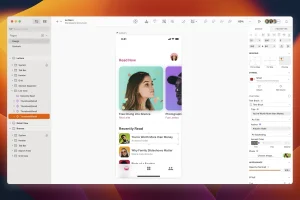
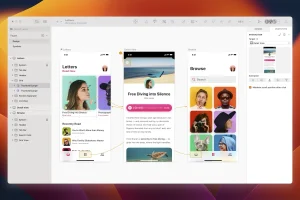
Sketch is a vector design tool for Mac with a focus on screen design. It is used primarily by screen designers who create websites, icons, and user interfaces for desktop and mobile devices. Sketch’s powerful and easy-to-use tools, suitable for both beginners and industry professionals, allow designers to focus on what they do best: design.
From its conception, Sketch was tailored to the needs of digital designers, and this is evident in every aspect of the app. Since then, Sketch’s popularity and fan base have steadily grown, and it is now widely recognized and a design tool of choice for many digital companies and startups worldwide.
Sketch’s functionality is enhanced by our fantastic third-party developers, who have created numerous plugins to speed up your design workflow. Sketch also seamlessly integrates with many prototyping and collaboration apps.
Sketch boasts a wide range of features and tools to help you with every stage of the design process, from creating wireframes to exporting artwork for use in production.
Sketch was founded in early 2008 by Peter Omvli and Emanuel Sa and is a privately held distributed company based in The Hague, Netherlands.
Over the years, Sketch has received recognition and awards in the form of annual App Store best app lists, the prestigious Apple Design Award in 2012, and the Net Award for App of the Year in 2015. Its clients include many leading startups and Fortune 500 companies worldwide.
Sketch 2026.2.0 for Mac “Edinburgh” Update Brings Powerful Design Upgrades
Sketch 2026.2.0 codenamed Edinburgh is the second major Mac update of 2026, introducing multi-paste, perceptual and vibrant gradients, big performance improvements for Symbols and Libraries, and handy new prototype player options.
Multi-Paste & Smarter Paste Behavior
You can now use Paste, Paste Over, and Paste and Replace across multiple selected frames, groups, or layers in a single action making it faster and easier to copy content across containers, paste one item over many existing layers, or replace multiple layers across a document. Paste behavior is also more predictable now: pasting into a group centers content within it, and pasting onto the Canvas places content closer to where you’re currently working.
Perceptual & Vibrant Gradients
Two new gradient interpolation options have been added: Perceptual (Oklab) for smooth, natural-looking transitions, and Vibrant (Oklch) for punchier, more saturated results. Both are based on human color perception, unlike Classic (RGB), which can produce muddy or desaturated midpoints.
Copy-Paste More Properties
Copy Properties (⌥⌘C) now covers a layer’s fills, borders, shadows, inner shadows, effects, size, position, and prototyping interactions. You can hold ⌥ when pasting fills, borders, or shadows to Paste and Replace existing styles instead of adding them.
Prototype Preview Improvements
A new Follow Selection option in the Preview window lets you change your selection without affecting what’s shown in the preview. There’s also a new Float on Top option that keeps the Preview window above other windows, and sharing a link to a prototype is now instantaneous.
Big Performance Gains
Moving and resizing Symbol instances is now around twice as fast, while changing text overrides is even faster. The Replace Library feature is now almost 15x faster than before a significant improvement for workflows with complex Libraries.
System Requirements
Sketch 2026.2.0 requires macOS Sonoma (14.0) or newer.
In summary, Sketch 2026.2.0 is a well-rounded update that makes everyday design tasks faster, smarter, and more flexible a solid step forward for any Mac-based designer.


About Author
