LightWave 3D v2024.1.0 for Mac
LightWave 3D v2024.1.0 for Mac
LightWave 3D 2020 is a complete solution for 3D modeling, rendering, and animation. LightWave 3D is widely used in television and film production, video game development, 3D graphics, and print design. LightWave artists have won more Emmy® awards for visual effects and animation than any other CG artist.
Additionally, LightWave is designed for use by a single artist, a small team, or a major facility, with seamless integration into a variety of production pipelines.
LightWave™ 2020 delivers the workflow and features you’ve heard about, plus new interactive tools for real-time work. You get the speed, flexibility, and control to create 3D content quickly, easily, and affordably.
LightWave 3D combines a modern visualizer with powerful, intuitive modeling and animation tools. Tools that might cost extra in other professional 3D applications are part of the suite, which includes 999 free cross-platform render nodes, support for Windows and Mac OS X, free technical support, and much more. LightWave is used worldwide as a complete 3D production solution for feature films and television visual effects, broadcast, print, visualization, game development, and web content.
LightWave 3D v2024.1.0 for Mac A Quick Overview
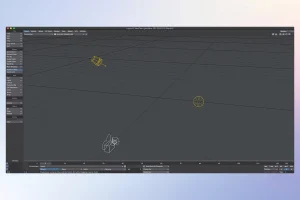
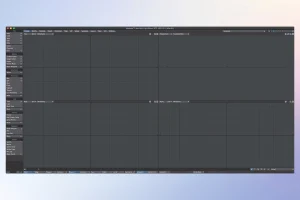
LightWave 3D, from LightWave Digital, is a veteran 3D modeling, animation, and rendering suite built around twin applications Modeler and Layout — with node-based surfacing, procedural geometry, and integrated OctaneRender support. The current release covered here is version 2024.1.0 (build 3430), released September 11, 2024 as a maintenance and feature update on the 2024 line.
What’s New
Version 2024.1.0 brings a mix of new tools and stability fixes:
- Motion Copy and Paste: copy animation between characters or objects; RHiggit Motion Copy ADV also gains frame-range control.
- Octane DOF node: a viewport-friendly depth-of-field node that can use LightWave’s own F-stop setting.
- Mac stability work, plus broader fixes across rigging, ProGeo, Modeler’s slide tools, and I/O.
- Layout fixes: improvements to the color-space render path, region null-crash guards, instance-generator scene loading, “wandering” VDBs, Alembic case sensitivity, and removal of the 2GB+ internal limit on Bullet simulations.
- Modeler fixes: overhauls to point/edge slide tools, grid snap, display color-space sync, and a backdrop preferences crash.
Headline Features of the LightWave 2024 Line
- LW RHiggit!: a fully integrated, modular character rigging system for bipeds, quadrupeds, and more.
- WeightBrush: live weight-map painting directly in Layout.
- ProGeo tools: Tendril (procedural vegetation), Thicken, Lathe, and Edge Slide in Modeler.
- Kit Surfacer: automates integration of purchased assets and surfaces for faster setup.
- Octane 2024 integration: Photon Tracing kernel, Standard Volume Medium, Post Volume fog, and native anti-aliasing that’s roughly 30% faster.
- Pipeline updates: Alembic 1.8.6 with particle support, OpenVDB 11, and Unreal Engine 5.3/5.4 Bridge.
- Flow (Unified Physics): variable-viscosity fluid simulation (Windows/Nvidia only at this stage, due to the lack of Flex on Mac).
System Requirements
- macOS Sonoma 14.1 or later, on Intel and Apple Silicon Macs (M3 recommended for Apple Silicon).
- Minimum 1280×1024 display (1920×1080+ recommended on Intel discrete GPUs).
- Roughly 3.2 GB+ install footprint, varying with content and plugins.
Licensing
LightWave 3D uses a commercial software license (.lwk file), with an optional hardware dongle. It’s purchased or upgraded directly through lightwave3d.com.

Session Pomodoro Focus Timer 2.13.47 for Mac

DockDoor Pro 0.0.138 for Mac

WG DAW Converter 3.2.19 for Mac
About Author
