BentoBox v1.1.7 for Mac
BentoBox v1.1.7 for Mac
BentoBox is a window manager for macOS that improves productivity by allowing you to arrange windows into customizable zones.
It is a universal window manager that allows you to arrange windows into customizable zones to organize your workspace.
The application supports multiple monitors, allowing you to create a custom layout for each. You can use the touchpad, mouse, or keyboard to move windows into zones.
Some features of BentoBox:
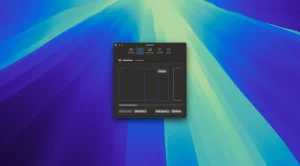
-Layout creation. You can create your own layouts and arrange windows in predefined zones using keyboard shortcuts or mouse gestures.
– Window placement. Using intuitive keyboard shortcuts, you can quickly arrange windows into customizable layout zones.
– Moving and distributing windows. Optimize your workspace by moving windows between zones or distributing them across multiple zones using simple keyboard shortcuts.
BentoBox v1.1.7 for Mac A Quick Overview
BentoBox, by Friendly Ventures, is a macOS window manager inspired by Windows’ FancyZones. It lets you define custom snap zones and then place, move, and span windows across monitors and Spaces using your mouse, trackpad, or keyboard. The current release is version 1.1.7 (build 371).
What’s New
This release is a focused patch around Settings and snapping behavior:
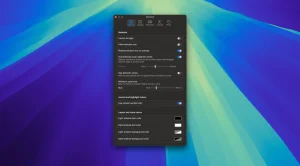
- More reliable Settings scrolling: the General tab now uses the same scrollable height as the Shortcuts tab, so longer content stays contained and easier to browse.
- Cleaner snapping around BentoBox’s own windows: the app now ignores its own windows when watching for snap gestures, so the snap overlay no longer pops up while you’re using the Settings window.
Key Features
- Tiled and windowed layouts: choose clean, non-overlapping grid zones, or freeform windowed zones that can overlap.
- Multiple layouts per monitor, with per-Space layouts that automatically follow macOS Spaces.
- Snap while dragging: reveal zones by right-clicking or holding Shift, then drop a window exactly where you want it.
- Dragless snap: snap the focused window instantly with a keyboard shortcut (⌘⇧).
- Per-zone shortcuts to assign instant snapping to specific zones.
- Move, cycle, and span windows across zones useful for ultrawide monitors and multi-display desks, with automatic suggestions for adjacent spans.
- Built using macOS Accessibility APIs to find, move, resize, and raise app windows; the developer notes usage analytics exclude window titles, document names, and screen content.
System Requirements
- macOS 14 (Sonoma) or later.
- Requires Accessibility permission to manage other apps’ windows.
Pricing
BentoBox is a one-time purchase priced at $9, usable on up to 2 devices, with a 14-day free trial. It can be installed via the developer’s site or through Homebrew.



About Author
