HarborDrop v1.3.0 for Mac
HarborDrop v1.3.0 for Mac
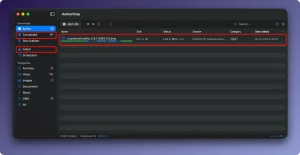
HarborDrop is a download manager designed for those who find the features of a standard browser insufficient. It positions itself as a full-fledged alternative to the popular Internet Download Manager (IDM), adapted for the Apple ecosystem.
Features: • Accelerated downloads through segmentation: The file is split into several parts (up to 6 by default, configurable), which are downloaded in parallel. This allows for more efficient use of Internet bandwidth and significantly speeds up the download of large files.
• Downloading HLS and m3u8 streams: The program can process video distributed via HLS streaming protocols (m3u8 playlists), which allows you to download non-DRM videos from many sites for offline viewing.
• Browser Integration: The extension for Chrome, Edge, Brave, Arc (based on Chromium) and Firefox allows you to intercept file links, as well as all links on a page or media content, sending them directly to HarborDrop.
• Automatic sorting: You can set up rules based on the site domain or file type. HarborDrop will automatically sort uploaded files into the correct folders.
• Automation after download: Actions after download completion are supported: open the folder with the file in Finder, run a script (AppleScript, Shell, JavaScript) or perform any other custom action.
• Site Grabber: A function for batch collecting and downloading all links (or according to a specified template) with a specified page depth.
HarborDrop v1.3.0 for Mac A Quick Overview
HarborDrop, made by Vesslo, is a native macOS download manager often described as an “IDM (Internet Download Manager) alternative for Mac.” It speeds up large downloads using multi-segment acceleration and pairs with a browser extension to capture downloads directly from the web. The current release is version 1.3.0.
What’s New
Version 1.3.0 continues HarborDrop’s core download-manager workflow segmented transfers, stream capture, browser handoff, rules, and automation with refinements over earlier 1.x builds. For build-specific change notes, the developer recommends checking the in-app updater.
Key Features
- Segmented downloads: splits a file into multiple parts (up to six by default, adjustable) that download simultaneously for faster speeds.
- Stable resume support: interrupted downloads can continue without starting over.
- Browser integration: extensions for Chrome, Edge, Brave, Arc, and Firefox let you send media, links, or in-page content straight to HarborDrop.
- HLS/m3u8 stream capture: detects and downloads non-DRM video streams for offline viewing.
- Category rules + automation: classify downloads by domain or filename, and trigger post-download actions like Finder reveal, renaming, or custom shell/JS scripts.
- Local-only processing: the browser extension talks to the desktop app via Native Messaging, with no personal data sent to external servers.
System Requirements
- Native macOS app (Apple Silicon and Intel supported).
- Requires the companion browser extension for the best capture experience.
Pricing
HarborDrop is sold as a one-time purchase (perpetual license), commonly listed around $20, rather than a subscription.



About Author
