Charles v5.1 for Mac
Charles v5.1 for Mac
Charles is an HTTP proxy, HTTP traffic monitor, and reverse proxy that allows a developer to view all HTTP and SSL/HTTPS traffic between their computer and the Internet.
This includes requests, responses, and HTTP headers (which contain cookies and caching information).
When developing web content and working with the internet, it is usually impossible to see what data is being transferred between your browser (client) and the server.
Without such visibility, it’s difficult and time-consuming to pinpoint where exactly an error is occurring. Charles simplifies analysis, allowing you to quickly diagnose and fix problems.
With Charles, debugging is fast, reliable, and advanced, saving you time and eliminating unnecessary complexity!
If you’re a developer or QA engineer who works with APIs, mobile apps, or web traffic, Charles needs no introduction. Built by XK72, Charles is the gold standard in HTTP/HTTPS web debugging proxies and version 5.1, released on April 21, 2026, brings meaningful performance upgrades and smart workflow improvements that make an already great tool even better.
What Is Charles?
Charles sits between your app and the network, capturing every HTTP and HTTPS request and response in real time. It lets you inspect traffic, debug API issues, simulate slow connections, and validate how your app behaves all from a clean, organized interface on your Mac.
What’s New in v5.1?
Java 25 Upgrade — Faster Everything The biggest under the hood change in v5.1 is a full upgrade to Java 25, which enables the use of virtual threads. The result? A noticeable boost in overall performance across the board faster startup, snappier rendering, and smoother handling of high traffic sessions.
Performance Improvements in Rendering Beyond the Java upgrade, v5.1 brings dedicated rendering performance improvements, making the interface feel more responsive even when dealing with large, complex traffic logs.
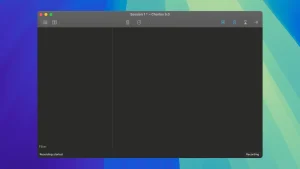
Proxying Toggle in the Toolbar A small but hugely practical addition — a new Proxying Toggle button in the toolbar lets you quickly switch system proxy settings on or off without diving into menus. One click, instant control.
Smarter Recording Behavior All open transactions now stop automatically when recording stops, preventing time calculations from running indefinitely in the background. Cleaner sessions, no stray counters.
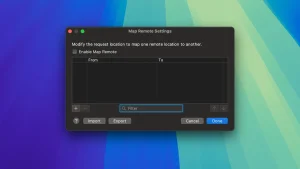
HTTP/2 to HTTP/1.1 Map Remote You can now use Map Remote from HTTP/2 requests to HTTP/1.1 endpoints giving developers more flexibility when testing across different protocol versions.
Improved CONNECT Matching CONNECT request location matching is now more accurate, correctly matching HTTPS URLs for more reliable SSL proxying behavior.
macOS-Specific Fixes
- Fixed: “Install Charles Root Certificate in Java VMs” now works correctly on macOS
- Fixed: Mouse wheel no longer accelerates excessively on tall text views a frustrating quirk that’s finally gone
Core Features Worth Knowing
- SSL/TLS Debugging inspect encrypted HTTPS traffic for hosts you control
- Bandwidth Throttling simulate 3G, slow Wi-Fi, or high-latency connections
- Request/Response Viewer structured views for JSON, XML, HTML, and more
- Rewrite & Map Tools modify requests and responses on the fly
- Repeat & Compare re-fire requests and diff sessions easily
- iOS & Android Support debug mobile app traffic through Charles as a proxy
Pricing & Availability
Charles v5.1 is available as a free trial from charlesproxy.com, with a paid license required for continued use. It runs on macOS, Windows, and Linux.



About Author
