NotchNook 1.5.5 for Mac
NotchNook 1.5.5 for Mac
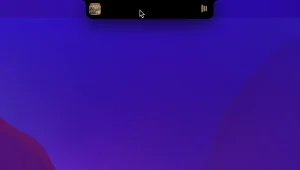
NotchNook is a Mac app that turns the notch on your MacBook into a dynamic, interactive element that pulses with notifications.
Main functions of the application:
-use widgets
-view calendar
-control music
-access live actions, file shelf and more
What’s New in 1.5.5
This is a focused maintenance release no headline features, but four fixes and improvements that make daily use noticeably smoother:
- Fixed: Live activities were incorrectly showing while in fullscreen mode
- Fixed: Calendar live activity was staying on screen even after the event had ended
- Improved: The Tray now matches the Nook width by default, preventing accidental closes when switching between the two
- Improved: Pressing Escape now works properly to dismiss the Notes widget
Core Features
If you haven’t used NotchNook before, here’s what the app actually does on any given day:
- Nook panel hover over the notch to expand a customisable widget area with media controls, calendar, notes, system stats, and more
- File Tray drag files into the notch region as a temporary staging shelf, then drop them wherever you need
- Live Activities see timers, music, and calendar events displayed dynamically in the notch area
- Webcam preview quick camera mirror accessible from the notch, no separate app needed
- Customisable widgets pick what shows, reorder them, and adjust behaviour to suit your workflow
“NotchNook doesn’t modify the notch it works around it, transforming ignored screen real estate into a surprisingly practical workspace.”
Pricing
NotchNook costs $25 as a one-time purchase or $3/month on subscription, both direct from lo.cafe. It’s also available through Setapp starting from $9.90/year as part of their app bundle. Requires macOS 14.6 Sonoma or later so older Macs running earlier macOS versions won’t be able to run it.



About Author
