Moom v4.5 for Mac
Moom v4.5 for Mac
Moom is a useful utility that allows you to optimize and diversify seemingly mundane actions like managing the active application window size. It allows you to accomplish with a single swipe or click what would normally require an order of magnitude more effort.
A standard set of templates allows you to maximize a window to full screen or, conversely, to half-size it, moving it to one side of the screen with a single click. It’s worth noting that in this regard, Moom’s functionality is similar to that of another well-known utility, Cinch. This utility allows you to perform the same actions with a window, but to do so, you must move it to the desired side of the screen.
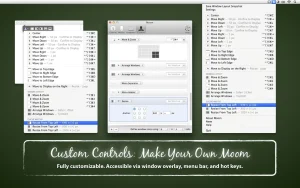
Don’t think Moom’s functionality is limited to just five fixed window sizes. Quite the contrary by enabling the Enable Move & Zoom Grid option in the program’s settings menu, you can independently and, most importantly, quickly set the window’s size and position using a convenient grid.
Core Features Worth Knowing
- Hover Palette — hover over any window’s green button to instantly access resize and move actions
- Saved Layouts — restore your entire window arrangement with one click or shortcut
- Snap Zones — drag windows to screen edges to auto-arrange them
- Keyboard Control — full window management without touching the mouse
- Customizable Actions — up to 61 custom actions, organized into folders
Compatibility
Moom v4.5 requires macOS 10.13 High Sierra or newer and supports both Apple Silicon and Intel Macs. It’s priced at $18 as a one-time purchase, with a year of free updates included.




About Author
