Parallels Desktop 27.0.0-58597 (Beta) ARM only for Mac
Parallels Desktop 27.0.0-58597 (Beta) ARM only for Mac
If you need to run Windows programs that aren’t available on Mac, or need to migrate data when switching from a PC to a Mac, Parallels Desktop can help you solve these problems.
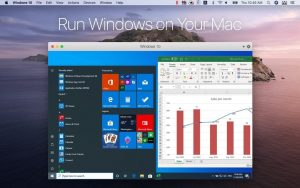
Run Windows side-by-side with macOS (no reboot required) on your MacBook, MacBook Pro, iMac, iMac Pro, Mac mini, or Mac Pro. Share files and folders, copy and paste text and images, and drag and drop files between Mac and Windows apps.
Parallels Desktop automatically detects what’s required to get started, so setup takes just minutes. If Windows installation is required, the user will be prompted to download and install Windows 10 or select a currently installed version of Windows, Linux, Ubuntu, or Boot Camp.
Graphics and other resource-intensive Windows applications run smoothly on your Mac. Work with even the most demanding graphics applications, such as Adobe Photoshop, Visual Studio, or SketchUp, without sacrificing performance.
In Coherence mode, the Windows interface will be hidden when using Windows applications. If you’re not used to working on a Mac, you can make the Windows window take up the entire screen, creating the feeling of working on a regular Windows computer.
Parallels Desktop 27.0.0-58597 (Beta): Early Access for macOS 27 Golden Gate
Parallels Desktop, one of the most established virtualization tools for Mac, has released a beta build numbered 27.0.0-58597, aimed squarely at users testing Apple’s upcoming macOS 27 “Golden Gate” release. As the build name suggests, this pre-release version tracks Apple’s macOS 27 development cycle, mirroring how version 26 lined up with macOS 26’s numbering. Notably, this beta is ARM-only, meaning it’s built exclusively for Apple Silicon Macs.
What Parallels Desktop Does
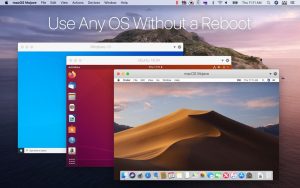
At its core, Parallels Desktop lets users run Windows, Linux, and even macOS guest systems directly on Apple Silicon Macs without dual-booting. Once installed, users create or import a virtual machine and run the guest operating system in a window, full screen, or “Coherence” mode, where Windows apps sit alongside macOS apps right on the desktop. Everyday cross-platform work is kept practical through shared folders, clipboard sharing, drag-and-drop, and camera or microphone passthrough.
Why This Beta Exists
Parallels’ engineering team is actively testing compatibility with the macOS 27 Golden Gate Developer Beta to ensure a stable experience. Early results show that core functionality already works well users can run virtual machines of any type on macOS 27 as a primary OS, upgrade existing macOS 26 VMs to macOS 27, and even install fresh macOS 27 VMs using an IPSW image.
Who Should (and Shouldn’t) Use It
This build makes sense if you’re testing macOS 27 Golden Gate on a non-production Mac and still need Windows or Linux VMs running on that host, or if you want to test macOS 27 guest VMs ahead of a wider fleet rollout. It’s not recommended for primary production machines Parallels advises waiting for official compatibility confirmation, and the stable 26.4.0 release remains the vendor’s current recommended line. Build 27.0.0-58597 should be treated as genuine early access: back up your VMs, expect some regressions, and keep an eye on Parallels’ macOS 27 compatibility knowledge base for updates.
Licensing
Parallels Desktop is sold on a subscription basis across Standard, Pro, and bundled business plans, with a trial available on the vendor’s site it isn’t a one-time purchase like some open-source hypervisors.


About Author
