Session Pomodoro Focus Timer 2.13.47 for Mac
Session Pomodoro Focus Timer 2.13.47 for Mac
Session Pomodoro Focus Timer is an app for effective time management. It helps you work in short, focused sessions and track time spent on individual tasks.
Some features of the application:
-Blocking distracting websites and apps. They are automatically blocked at the start of a session and restored after the session ends or during breaks.
-Automatically disable a team in Slack. The app automatically disables the selected team when a session starts and re-enables it when the session ends.
– Break reminders. The app emphasizes the importance of break periods for maximum productivity.
-Workflow automation. For example, the ability to automatically enable “Do Not Disturb” mode at the start of a session and disable it after it ends.
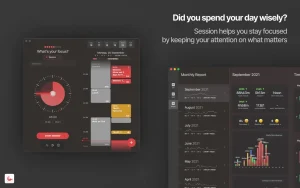
-Progress analysis. The app tracks what tasks you’ve worked on, what you’ve learned, and how long it took.
Session Pomodoro Focus Timer for Mac: A Quick Look
If you’ve ever sat down to work and found yourself checking Slack, opening a new tab, or scrolling social media within minutes, you’re not alone. Session, a Pomodoro-based focus timer for Mac, was built exactly for that problem.
What Session Does
Session is built around the classic Pomodoro Technique short, timed bursts of focused work (typically 25 or 45 minutes) followed by a break. But it goes well beyond a basic countdown timer. On Mac, Session can automatically block distracting websites and apps the moment you start a session, and restore access once your break begins. It works with major browsers, including Safari, Chrome, Brave, and Microsoft Edge.
Key Features
- Time blocking: Choose 25-minute or 45-minute sessions depending on your task.
- Distraction blocking: Session locks out chosen websites and apps for the duration of your focus block, so you’re not tempted to peek.
- Calendar integration: Session syncs with your Mac and iPhone calendar, helping you plan focus blocks around your existing schedule.
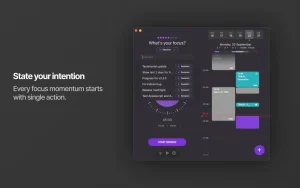
- Reflection notes: After each session, you can jot a quick note about what you worked on a small habit that adds up to a useful log over time.
- Automation support: Power users can tap into AppleScript and Shortcuts integration to trigger custom actions when a session starts or ends.
- Slack integration: Automatically set a “focusing” status or mute notifications when a session begins.
Why People Like It
Users often point to the small details that make Session feel thoughtfully designed: a two-minute warning before a session ends, a gentle nudge if you forget your session has already finished, the ability to extend or pause a session without losing progress, and a variety of sound cues for different events. These little touches let people adapt the Pomodoro method to their own rhythm instead of following it rigidly.
Pricing
Session offers a free basic version, with paid tiers unlocking deeper analytics and additional features plans have historically started around $4.99/month, with an annual option also available.
Is It Worth It?
For anyone who struggles to stay off distracting apps and websites during work, Session offers a more enforced version of the Pomodoro method than a simple timer app. It won’t suit everyone — some users note it needs to be open on the Mac to sync properly with sessions started on other devices but for many, the combination of timing, blocking, and light analytics makes it one of the more complete focus tools available for macOS.



About Author
