Termius 9.40.1 for Mac
Termius 9.40.1 for Mac
Termius is an SSH client and terminal the way it should be. Connect with a single tap from any mobile or desktop device no re-entering IP addresses, ports, or passwords.
With the free Termius Starter plan you can:
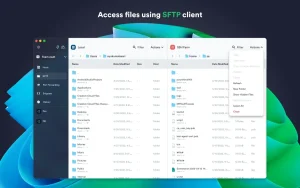
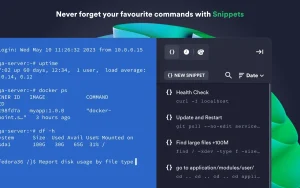
– Connect from your mobile or desktop device using SSH, Mosh, Telnet, port forwarding, and SFTP. – Work in multiple sessions simultaneously with a multi-tab interface and split-view support. – Customize your terminal themes and fonts for each connection. – Save your favorite and frequently used commands and shell scripts to execute them with typing instead of typing. – Quickly access a unified history of your terminal commands. – Get support for ECDSA and ed25519 keys, as well as the chacha20-poly1305 cipher. – No ads.
With the Termius Pro plan you can also:
– Access your connection settings and credentials from any device at any time with encrypted cloud storage. – Unlimited device syncing. – Run saved commands across multiple sessions or servers, or instantly autocomplete them in the terminal. – Connect to your hardware with a serial cable. – Authenticate with FIDO2 hardware keys. – Connect through proxies and transient servers. – Set custom environment variables. – Integrate with AWS and DigitalOcean. – Protect your credentials with Touch ID or Face ID, and your account with two-factor authentication. – Store keys on your computer with an SSH forwarding agent.
Termius reimagines the command line experience. We strive to make remote access more productive and enjoyable for administrators and engineers.
Termius 9.40.1 for Mac: A Reliability-Focused Update
Termius, the popular cross-platform SSH client formerly known as Serverauditor, has rolled out version 9.40.1 for macOS, bringing a set of targeted fixes rather than major new features.
What’s New in 9.40.1
This release focuses on stability. It fixes several issues affecting session logging reliability and improves app performance when working with many hosts and groups, along with other general stability improvements. It’s a maintenance release that builds on 9.39.0, which had introduced the ability to remove SSH IDs and improved performance for accounts managing large numbers of hosts.
What Termius Offers
For those unfamiliar with it, Termius bills itself as the most innovative and popular cross-platform SSH client, letting users manage a Raspberry Pi, a Linux machine, or a UNIX server farm with ease. It supports ECDSA and ed25519 keys as well as the chacha20-poly1305 cipher, and the company emphasizes that the app is always ad-free.
Key features include the ability to pair credentials and servers for quick access, create groups with shared settings and themes, and tag servers to stay organized. Users can personalize the interface with 12 colorful themes, adjustable fonts, and a dark mode, and the app supports multiple simultaneous connections to the same host or to different hosts, along with port forwarding to encrypt nearly any service or connection.
Cross-Platform Sync
One of Termius’s biggest draws is that it isn’t limited to Mac. It syncs hosts across Windows, Linux, macOS, iPadOS, iOS, and Android, making it a genuine “workspace on the go” for people managing servers from multiple devices.
Availability
The Mac version is available as a 243 MB download, and is also installable via Homebrew, where the current cask version is listed as 9.40.1.
User Reception
Reviews are generally positive, with long-time users noting they’ve stuck with Termius over alternatives like PuTTY and iTerm2 for its syncing and interface. That said, not every review is glowing a few critics on independent download sites have raised concerns about its reliance on an online account and Electron-based architecture for something as security-sensitive as SSH management.



About Author
