Moom 4.5.1 for Mac
Moom 4.5.1 for Mac
Moom is a useful utility that allows you to optimize and diversify seemingly mundane actions like managing the active application window size. It allows you to accomplish with a single swipe or click what would normally require an order of magnitude more effort.
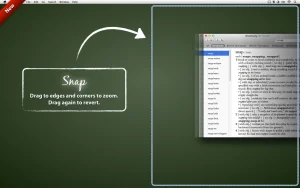
A standard set of templates allows you to maximize a window to full screen or, conversely, to half-size it, moving it to one side of the screen with a single click. It’s worth noting that in this regard, Moom’s functionality is similar to that of another well-known utility, Cinch. This utility allows you to perform the same actions with a window, but to do so, you must move it to the desired side of the screen.
Don’t think Moom’s functionality is limited to just five fixed window sizes. Quite the contrary by enabling the Enable Move & Zoom Grid option in the program’s settings menu, you can independently and, most importantly, quickly set the window’s size and position using a convenient grid.
Moom 4.5.1 for Mac What’s New
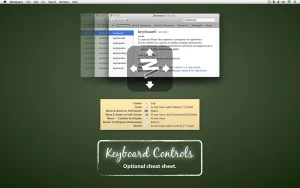
Moom is a long-running macOS window manager from developer Many Tricks, letting you move, zoom, and snap windows using the mouse, keyboard, saved layouts, or a customizable grid. Version 4.5.1 is a focused maintenance release following the larger 4.5 update.
What’s Fixed in 4.5.1
- Prepared Moom for the upcoming macOS 27, adapting to its “retro-modern” visual style
- Fixed layouts hiding apps on inactive spaces when they shouldn’t
- Fixed a layout issue affecting windows without a title attribute (as seen in apps like cmux)
- Improved compatibility with Bartender’s Top Shelf feature
- Reduced inconsistent window ordering when applying layouts on newer macOS versions
- Fixed a cosmetic animation glitch in the action chooser resize demo when Stage Manager is enabled
- Improved debug logging to work around macOS’s increasingly aggressive log redaction
Recap: What 4.5 Added
Since 4.5.1 builds directly on 4.5, it’s worth noting the bigger features that arrived just before it:
- Stage Manager awareness Moom can automatically leave space for Stage Manager when it’s active
- Hide unrelated apps on layout restore a per-layout option to hide apps not included in a saved layout, keeping some workspaces distraction-free while others stay flexible
System Requirements & Pricing
- Requires macOS 10.13 High Sierra or later, with both Intel and Apple Silicon support
- Priced at $18 as a one-time purchase (not a subscription), including at least one year of free updates
- Existing Moom 3 (Classic) owners can upgrade at a discount, regardless of whether they originally bought via the Mac App Store or directly from Many Tricks
- Note: Moom 4 is only available directly from Many Tricks (manytricks.com) it isn’t on the Mac App Store, since it isn’t sandboxed. Moom Classic remains available there separately.
As with any paid utility, it’s best downloaded straight from the developer’s site to ensure you get genuine updates and licensing support.

![NetWorker Pro v11.0.11 [MAS] for Mac](https://appmacs.com/wp-content/uploads/2026/05/NetWorker-Pro-v11.0.11-MAS-for-Mac-200x125.jpeg)
NetWorker Pro v11.0.11 [MAS] for Mac

Subtitle Studio 1.5.11 for Mac

Steinberg Nuendo 15 v15.0.21 for Mac
About Author
