Pixelsnap v2.6.3 for Mac
Pixelsnap v2.6.3 for Mac
PixelSnap is an indispensable screen measurement tool for designers, web developers, and anyone who uses a Mac for design work. The app accurately measures pixels on your screen, distances, and objects on a webpage as you drag your cursor. Thanks to the built-in CleanShot and PixelSnap integration, it will capture perfectly scaled images of your elements.
Peculiarities:
Measure distances Quickly find out the distance between any elements on your screen
Measure objects Instantly find out the boundaries of any object by simply selecting it
Add Snapable Guides Check alignment by adding horizontal and vertical guides on the screen
Take screenshots Export your measurements as an image and easily share them with others
Crosshair Mode Quickly check the alignment of all elements on your screen
Error Mode Adjust the error for working with shadows and low-contrast elements
Integration with your favorite PixelSnap tools shows real-world dimensions regardless of the zoom level displayed.
PixelSnap v2.6.3 for Mac A Quick Overview
PixelSnap is a screen measurement tool for macOS, built for designers, web developers, and anyone who needs precise pixel measurements of on-screen elements. The current release is version 2.6.3.
What’s New
Version 2.6.3 brings two focused improvements:
- Fine-tune guide position using arrow keys while adding a new guide, for more precise placement.
- Smarter snapping and better guide interactions overall.
This follows 2.6.2, which improved compatibility with macOS 26 Tahoe, and 2.6.1, which added a real capture-area preview when using padding with the screenshot button and fixed a Figma integration issue.
Key Features
- Measure anything on screen: drag the cursor across any app or web page to instantly get distances, dimensions, and positions.
- Object snapping: automatically detects and snaps to the edges of UI elements, icons, shadows, and gradients.
- Multiple object measurement: capture sizes and distances of several elements at once.
- Snappable guides: place horizontal/vertical guides that snap to objects and align to the midpoint between other guides.
- Aspect-ratio lock: hold Shift to maintain proportions or create perfect squares while resizing.
- CleanShot integration: hit “S” to take a screenshot of your measurement, edit it via the Quick Access Overlay, and save it.
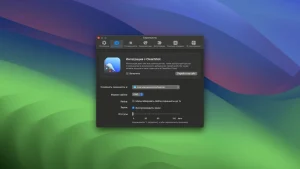
- Design tool integration: works with Figma, Adobe XD, Sketch, and Affinity to get accurate dimensions regardless of zoom level.
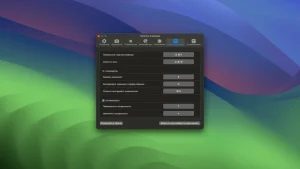
- Adjustable tolerance: fine-tune snapping sensitivity to catch subtle elements like shadows and low-contrast edges.
- Session restore: reopen the app to pick up your previous measurement session.
- Retina display support and full shortcut/theme customization.
System Requirements
- macOS 10.14.4 or later.
- Runs natively on both Intel and Apple Silicon Macs.
Pricing
PixelSnap is sold as a one-time purchase from the developer’s website, and is also available as part of a Setapp subscription (starting around $25/year for access to PixelSnap and other apps).



About Author
