iA Writer 8.0 for Mac
iA Writer 8.0 for Mac
“iA Writer creates a simple, convenient, distraction-free writing environment for when you really need to focus on your work.” ***** The New York Times
“iA Writer is an example of how powerful a simple and accessible app can be.” ***** The Guardian
“iA Writer is designed for working with text—writing this phrase, this sentence, this word at this moment.” ***** WIRED
4-time Best of the App Store winner
# A simple application for working with text
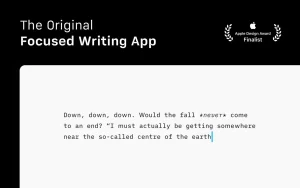
A quiet writing space helps you express your thoughts clearly.
# Focus
Focus mode dims everything except the current sentence or paragraph, helping you stay on track.
# Begin
Don’t worry about formatting. The text will be automatically converted to HTML for viewing.
# Organize
Search, sort, and manage documents from multiple cloud services, all in one window.
# Get things done
iA Writer supports both light and dark modes, for working both day and night.
# Clear text
The syntax function will help you find unnecessary adjectives, weak verbs, and repeated nouns, and clear your text of verbal garbage.
# Design
PDF with customizable templates, HTML, Microsoft Word (.docx), built-in support for WordPress and Medium.
# 100% text
Text links, images, and tables are automatically formatted in the preview pane.
iA Writer 8.0 for Mac Quick Overview
iA Writer is a minimalist Markdown writing app for macOS from Information Architects that strips away formatting clutter so you can focus on sentences. Since 2010, iA Writer has targeted journalists, authors, and professionals who want a calm writing surface instead of a full word processor.
What’s New in 8.0
Version 8.0, released June 2026, is a major visual and navigation update:
- The interface adopts Apple Liquid Glass styling on macOS 26 and later, with an app icon that follows system light, dark, and clear appearance settings
- Quick Search now merges document outline, in-file find, and library search type a few letters to jump to headings, filenames, or text matches
- Press Shift + ⌘ + O to bring up a pane with both search and outline functions, working across the current document or your entire library
- A faster Command Palette, accessible via Shift + ⌘ + P on Mac
- Library now lets you hide dates and text excerpts for a more compact browsing layout, with star icons for favorite files
Core Features
- Focus Mode for sentence- or paragraph-level concentration, plus syntax highlighting for Markdown structure as you type
- Style Check flags weak verbs, filler adjectives, and repetitive phrasing
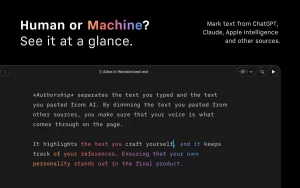
- Tracks who wrote each passage pasted AI text appears in distinctive gradient coloring, while human contributors show in subtler, assignable tones
- Content blocks and wikilinks for embedding and linking between project files
- Syncs files through iCloud or your preferred cloud folder, and exports to HTML, PDF, Word, or publishing platforms
Pricing & Requirements
The Mac version can be trialed or bought directly from iA for $49.99, or through the Mac App Store.



About Author
