Pro Audio Converter 1.11.1 for Mac
Pro Audio Converter 1.11.1 for Mac
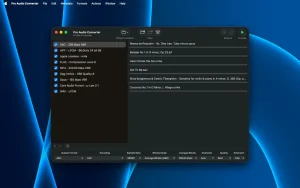
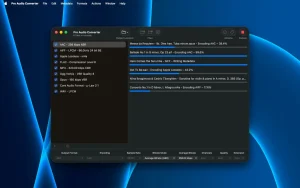
Pro Audio Converter is a professional native audio file converter that batch converts between MP3, AAC, FLAC, ALAC, WAV, Opus, and other formats with full control over encoding parameters, a built-in metadata editor, and Apple Music integration.
Features: Batch conversion with multithreading • The app utilizes all your processor cores to encode multiple files simultaneously. You can feed the program an entire folder and configure conversion to multiple output formats in a single pass—this saves time when creating, for example, FLAC and MP3 versions of the same collection.
Wide format support
• Input formats (reading): MP3, AAC, FLAC, Apple Lossless (ALAC), Ogg Vorbis, Opus, WAV, AIFF, CAF, WMA, Musepack, WavPack, Monkey’s Audio (APE), True Audio (TTA), 3GP/3G2, Sound Designer II, Real Audio, tracker modules and others. Also extracts audio from .mov and .mp4 video files.
• Output formats (recording): MP3, AAC, FLAC, Apple Lossless (ALAC), Ogg Vorbis, Opus, WAV, AIFF, CAF, 3GP/3G2, Monkey’s Audio and others.
Full control over encoding For each supported codec, the program opens all available settings:
• Bitrate (constant, variable, average).
• Sample Rate Conversion.
• Bit Depth and Dithering to reduce quantization noise.
• Channel Layout – mono, stereo, multi-channel.
Built-in metadata editor • You can edit tags (title, artist, album, cover) both before conversion and on existing files without re-encoding. Batch editing of metadata for multiple files simultaneously is supported.
Integration with Apple Music • Finished files (in supported formats) can be exported directly to the Apple Music library, and playlists can be created based on track metadata.
Flexible output settings • You can set custom paths for saving files using templates based on metadata (e.g. Artist/Album/Song.flac). When you drag a folder, the program recursively traverses all subfolders.
– Now recognizes recovered Sound Designer Il files that arrive with a “sd2f” extension. – WAV files now use a standard header that older hardware samplers can read. – Damaged or partially downloaded files now stop with a clear error instead of quietly producing a near-empty file. – A failed save no longer deletes the existing file at the destination without putting a new one in its place. – When a save replaces an existing file, the old version now reliably goes to the Trash, even when its name contains spaces. – Interrupted conversions no longer leave large temporary files behind, and any leftovers from an earlier crash are cleared at the next launch. – Fix an issue where certain files could fail to encode to MP3 on older versions of macOS.
Pro Audio Converter 1.11.1 for Mac Quick Overview
Pro Audio Converter is a batch audio conversion app for Mac, designed for ease of use, simplicity, and above all, the highest quality audio. It’s aimed at podcasters, post-production work, and anyone managing large audio libraries.
What’s New in 1.11.1
This release is mainly about reliability: it focuses on conversion reliability clear errors for damaged files, safer overwrite behavior, and cleanup of interrupted jobs.
Core Features
- Multi-threaded batch conversion convert multiple files at once to multiple formats at once
- Reads and writes metadata, including album artwork, with a convenient editor; can build custom output paths and file names from metadata
- Preserves extended tags such as MusicBrainz IDs, ReplayGain, and sort-order fields across formats
- A full range of encoding options for every supported codec
- Configurable sample-rate conversion quality and bit-depth dithering for mastering-grade or fast everyday jobs
- Can edit metadata of existing files without re-encoding, working as a basic tag editor
- Direct export to iTunes/Apple Music library with custom playlist creation from track metadata
Format Support
Reads and writes AAC, AIFF, Apple Lossless, FLAC, MP3, Ogg Vorbis, Opus, WAVE, and more, while reading (but not writing) formats like DSD, WavPack, and Windows Media Audio. Note: DRM-protected files are not supported.
Requirements
Requires macOS 11.0 or later and runs natively on Apple Silicon.



About Author
