Folx Pro 5.34 for Mac
Folx Pro 5.34 for Mac
Folx Pro is the easiest way to download anything from the internet to your Mac. It’s great for YouTube videos, direct downloads, and torrents. You’ll need Folx Pro for two main reasons: splitting downloads into several separate streams, which speeds up the process, and built-in torrent search. Another advantage is its YouTube video downloader, so you don’t have to search for an online solution.
Of course, Folx Pro also supports magnet links it quickly grabs downloads they lead to. It also remembers your login and passwords for sites that require authorization. So you can use their downloads without logging in.
Fast downloads
When you download a file from the internet, it’s transferred in a single stream, which takes up a certain amount of time and megabytes. Folx Pro can split this stream into up to 20 smaller ones, each of which will take less time to download. Consequently, the overall download speed will be reduced by 20 times.
YouTube downloader
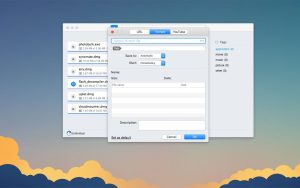
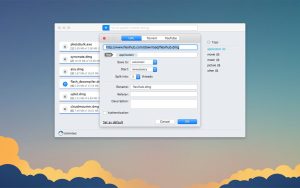
Any YouTube video can be yours in seconds. To download a YouTube video, simply copy its URL and paste it into the YouTube tab in Folx Pro. You can rename the resulting file and choose your preferred saving quality, if the video offers these options.
Torrent downloader
A download manager is certainly great, but Folx Pro is first and foremost a torrent client. It’s lightning-fast and easy to use, with a variety of speed settings to control download speed, making downloads quick and painless. Plus, if you’re downloading from a site that requires authorization, Folx Pro can remember your login details.
Downloading music
Any music saved on your Mac using a browser can be opened in Folx Pro, then integrated into your iTunes playlist. Folx Pro can speed up downloads of your MP3 files by splitting them into streams. You can also download music directly from the app’s search.
Built-in torrent search
You don’t need to search for torrents online, trying to figure out which one to download. Folx Pro will find everything you need, sort it by seed count, and let you save the file directly with one click. You can also schedule downloads for later.
Important legislative clarification
Folx Pro is an application designed for downloading and distributing legal content. Each file you download must not infringe copyright and be legal for distribution and storage. By creating or downloading torrent files, you confirm that you have the minimum necessary rights to do so.
Folx Pro 5.34 Download Manager and Torrent Client for Mac
Folx Pro is one of the most complete download managers available on Mac, combining a full-featured download manager and torrent client in a single native app. Version 5.34.14042, released on June 3, 2026, is the latest build from Electronic Team continuing an active update run through 2025 and 2026 that has significantly improved Apple Silicon performance and overall stability.
What is Folx Pro?
Folx Pro is a download manager and torrent client built specifically for macOS with a clean, native interface. It handles HTTP and HTTPS downloads, magnet links, and torrent files, organizing everything through a smart tagging system that lets you categorize and find downloaded content quickly without digging through folders. It integrates directly with Safari, Chrome, and Firefox via browser extensions, intercepting download links automatically so files are routed through Folx rather than the browser’s built-in downloader.
Key Features
The Pro version unlocks the ability to split downloads into up to 20 threads simultaneously, which can dramatically increase download speed from servers that support multi connection downloading. Smart speed adjustment automatically regulates bandwidth so Folx does not consume all available traffic when you need your connection for other tasks or you can set limits manually. Download scheduling lets you queue tasks to run at specific times, useful for overnight downloads or off-peak hours.
The built-in torrent search lets you find torrents directly from inside Folx without opening a browser, searching across multiple trackers at once. Proxy support routes downloads through a proxy server for added privacy, and Spotlight integration indexes all your tags so files are findable system-wide in seconds. Apple Music integration automatically sends downloaded audio and video files to your library, organized by the tags you assigned in Folx.
Recent Update History
The 5.33 release in February 2026 added full Apple Silicon optimization. The 5.32 and 5.31 builds before that improved dark mode icon display, fixed magnet link handling, resolved crashes when adding torrents, and improved macOS 26 Tahoe compatibility. Version 5.34 continues this maintenance track with further fixes and improvements, bringing the app to its most stable state yet.
Pricing
Folx is free to download with core features included. The Pro version is priced at $19.95 as a one-time purchase, with a 50% discount available for users upgrading from version 4 or earlier. Users who previously purchased Folx Pro 5.x get free updates. It requires macOS 10.13 or later and runs natively on both Intel and Apple Silicon Macs.



About Author
