Typinator 10.1 for Mac
Typinator 10.1 for Mac
Typinator is a simple application that will save you time by inserting pre-prepared templates instead of the abbreviations you set.
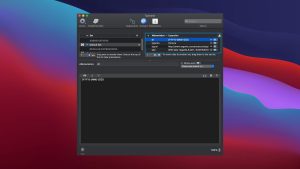
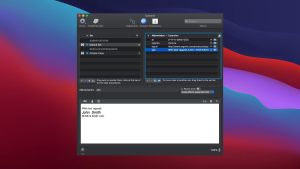
For example, if you type “subp.” on the keyboard, the following will be automatically inserted instead: First Name, Last Name, Position , Email, Phone Number
A great app for those who frequently enter the same information. It can insert both text and images. It also has built-in autocorrect tools, such as HTML snippets, typo corrections (English), and more.
You can use Typinator to…
Quickly enter greeting phrases.
Set up a list of standard text fragments to be used for email responses.
Insert the current date and/or time in any formats with a few keystrokes.
Automatic correction of the most common typos in all applications of the system as a whole.
Predefined sets of automatic correction, HTML, Filemaker functions.
Import from other typing utilities, including Textpander.
TextExpander, and TypeIt4Me.
Insert images, such as emojis or bullets.
Enter Unicode characters by typing a few regular special characters (for example, like -> to insert an arrow).
Define abbreviations for commonly used Unix commands.
Quickly create templates for code snippets if you’re a programmer, and more.
Typinator 10.1 Text Expansion for Mac, Now Smarter
Typinator has been one of the most reliable text expansion tools on Mac for years, and version 10.1, released on June 1, 2026, keeps that reputation intact with a useful new dashboard and a round of solid reliability improvements.
What is Typinator?
Typinator is a text expansion utility for Mac developed by Ergonis Software. You set up short abbreviations and it instantly expands them into full phrases, email templates, code snippets, images, dates, or even AI prompts system-wide, across every app. It supports macros through AppleScript, shell scripts, and regular expressions, and expansion happens with zero perceptible delay even with large snippet libraries. Everything runs locally on your Mac with no server dependency. Sesame Disk
What Came in Version 10
Typinator 10 brought synchronization of snippet libraries across devices via the new Typinator Mobile iOS app, a redesigned interface aligned with macOS 26 Tahoe, iCloud sync between Macs, and Apple Intelligence integration for snippet creation, translation, and optimization. It was a major milestone for an app that had been Mac-only for its entire life. 9to5Mac
What’s New in 10.1
Typinator 10.1 adds a Statistics and Insights dashboard that shows time saved, total expansions, and corrections, plus a shareable stats card. Beyond that, the update is focused on reliability better expansion consistency across apps, stronger sync with clearer error reporting, faster performance with large snippet libraries, and improved password-field handling for multiline and whitespace content. NMUGNMUG
Pricing
Basic is a $49.99 one-time purchase for macOS covering two Macs with updates within Typinator 10. Advanced is $29.99 per year and adds the iOS app, ongoing updates, and email support across three devices.


About Author
