MacGPT v3.21 for Mac
MacGPT v3.21 for Mac
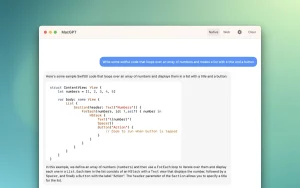
MacGPT is a simple native app for macOS that lets you quickly access ChatGPT from the menu bar. With one click, you can open ChatGPT and start chatting using the powerful Assistant language model.
Access ChatGPT from anywhere on your Mac using the global feature. Simply activate the “Global” text field that appears in the center of the screen and start chatting using ChatGPT.
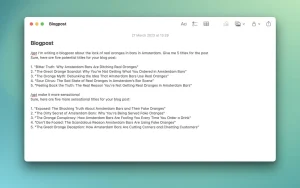
Add ChatGPT directly to your text fields with MacGPT Inline. Simply enter your trigger phrase and prompt, and ChatGPT will do the rest!
Quickly access ChatGPT from the menu bar, via the website, or via the API.
How to use
MacGPT loads the ChatGPT chat interface in your web browser. Log in using your OpenAI credentials, then simply click the icon in the menu bar to start a conversation. You can also assign a keyboard shortcut by clicking the gear icon to activate MacGPT without moving your mouse!
You can also use your own OpenAI API key to interact directly with ChatGPT. Please note that you must link your credit card to use the OpenAI API key. If you want to use GPT-4, you will need to sign up for the GPT-4 waitlist.
MacGPT v3.21 for Mac ChatGPT, Right in Your Menu Bar
Why keep a browser tab open just to ask ChatGPT a question? MacGPT by Good Snooze is the beautifully native macOS app that puts the full power of ChatGPT directly in your menu bar instant access, zero browser overhead. Version 3.21 is the latest release, adding support for OpenAI’s powerful GPT-4o model in native mode and delivering a faster, more capable AI experience than ever before.
What’s New in v3.21?
GPT-4o Support in Native Mode The headline feature of MacGPT 3.21 is full support for OpenAI’s GPT-4o model in native (API) mode. GPT-4o brings faster responses, stronger reasoning, better code assistance, and more natural conversation all powered by your own OpenAI API key directly from your Mac’s menu bar.
Two Modes — Choose How You Use It
Web Mode Sign in with your ChatGPT or ChatGPT Plus account and use MacGPT as a clean, focused wrapper around the ChatGPT website complete with the sidebar for seamless navigation.
Native Mode Connect your own OpenAI API key for a lighter, faster native experience. No browser rendering just pure, direct AI responses with the full power of GPT-4o, GPT-4, or any other model your key supports.
Key Features
Instant Menu Bar Access MacGPT lives in your menu bar click it, ask your question, get your answer. No switching to a browser, no loading screens, no distractions. AI assistance is always one click away.
Streaming Responses Watch responses appear word by word in real time just like the ChatGPT web app for a fast, natural conversational feel.
Resend & Delete Messages Made a mistake or want to retry? Easily resend or delete any message in your conversation keeping your chat clean and productive.
Custom System Prompts Set a custom system prompt to define MacGPT’s personality, role, or behavior turn it into a coding assistant, writing coach, legal summarizer, or anything else you need.
DALL·E Image Saving MacGPT supports saving DALL·E generated images directly from the chat grab AI artwork and illustrations without any extra steps.
Sidebar in Web Mode The sidebar in web mode gives you quick access to your conversation history and navigation keeping the full ChatGPT web experience neatly organized.
Global Keyboard Shortcut Summon MacGPT from anywhere on your Mac with a customizable global hotkey whether you’re writing, coding, browsing, or working in any other app.
Pricing & Compatibility
- Paid app available from goodsnooze.gumroad.com and the Mac App Store
- Updates delivered via built-in Sparkle updater
- Requires macOS 12.0 Monterey or later
- Supports both Apple Silicon and Intel Macs



About Author
