Oka Unarchiver PRO 2.1.13 for Mac
Oka Unarchiver PRO 2.1.13 for Mac
Oka Unarchiver is a small, easy-to-use utility that can archive and unarchive various files. With Oka Unarchiver, you can compress as many files as you want. You can also password-protect them.
Additionally, Oka Unarchiver for Mac can extract a wide range of compressed files, from ZIP to 7Z archives, even split files. Simply drag and drop files onto the icon or into the main window, and Oka Unarchiver for Mac will extract them. You can add any file to the list for archiving or extracting. If you click the Archive button, Oka Unarchiver for Mac will archive all files in the list at once. If you click the Extract button, Oka Unarchiver for Mac will automatically determine which files can be extracted.
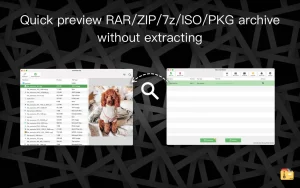
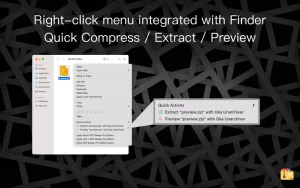
Key Features: • Finder extension support, right-click a file in Finder to directly compress or extract files, even preview files inside the archive • Support zip files with quick preview • Batch unzip archives • Supports password-protected archives • One-click to extract and archive • Drag and drop archives to extract • Open in Finder to extract • Support archiving into multi-part zip files
Supported compression formats
• ZIP
Supported extraction formats
• 7Z, ZIP, RAR, TAR, GZIP, BZIP2, XZ, LZIP, ACE, ISO, CAB, PAX, JAR, AR, CPIO and others
Oka Unarchiver PRO 2.1.13: A Steady Maintenance Update for Mac’s File Extraction Tool
Oka Unarchiver PRO, a compact archiving and extraction utility for macOS, has quietly released version 2.1.13. It’s a maintenance build, and while it doesn’t bring new features to the table, it keeps one of the more comprehensive free unarchiving tools on the Mac running smoothly.
What Oka Unarchiver Does
At its core, Oka Unarchiver PRO lets Mac users extract and compress a wide range of archive formats through simple drag-and-drop, batch operations, or a right-click Finder extension. Supported formats span 7Z, ZIP, RAR, TAR, GZIP, BZIP2, XZ, LZIP, ACE, ISO, CAB, PAX, JAR, AR, and CPIO, among others, making it a flexible alternative to WinRAR or 7-Zip on macOS.
What’s New in 2.1.13
This release is described as a patch within the 2.1.x line, with the Mac App Store’s official notes citing only general bug fixes. It builds on earlier fixes in the same series, including version 2.1.10, which addressed user-reported issues, and version 2.1.9, which resolved an interface bug. No new archive formats or major features have been added in 2.1.13.
Two Ways to Get It
The developer offers two purchasing paths on the Mac App Store: a one-time $7.99 purchase for the full Pro version, or a free download with optional VIP upgrades, available as lifetime, monthly, or yearly plans, that remove ads and unlock features like volume compression and password protection tools. In some App Store regions, the free/VIP version is now listed under the name “Unzip Pro 2,” though it shares the same underlying codebase.
Handy Extras
Beyond basic extraction, the app includes a Finder extension for right-click compress/extract actions, Quick Look previews for zipped files, support for password-protected and multi-part archives, and compatibility with both Intel and Apple Silicon Macs running macOS 10.13 or later.
A Long-Standing Niche Favorite
The app has built a loyal following among users dealing with older or unusual archive formats. One long-time Mac user noted it successfully opened decades-old .sit files created by an early version of StuffIt when other modern tools couldn’t, a reminder that legacy format support remains one of Oka Unarchiver’s quiet strengths.



About Author
